Rule Editor IntelliSense
March 10, 2016
Features
Rule Editor
IntelliSense
AMODIT 2.9 significantly improved the rule editor. The release introduced a clearer editing window and a new code editor with syntax highlighting and automatic formatting.

The Rule Editing Window
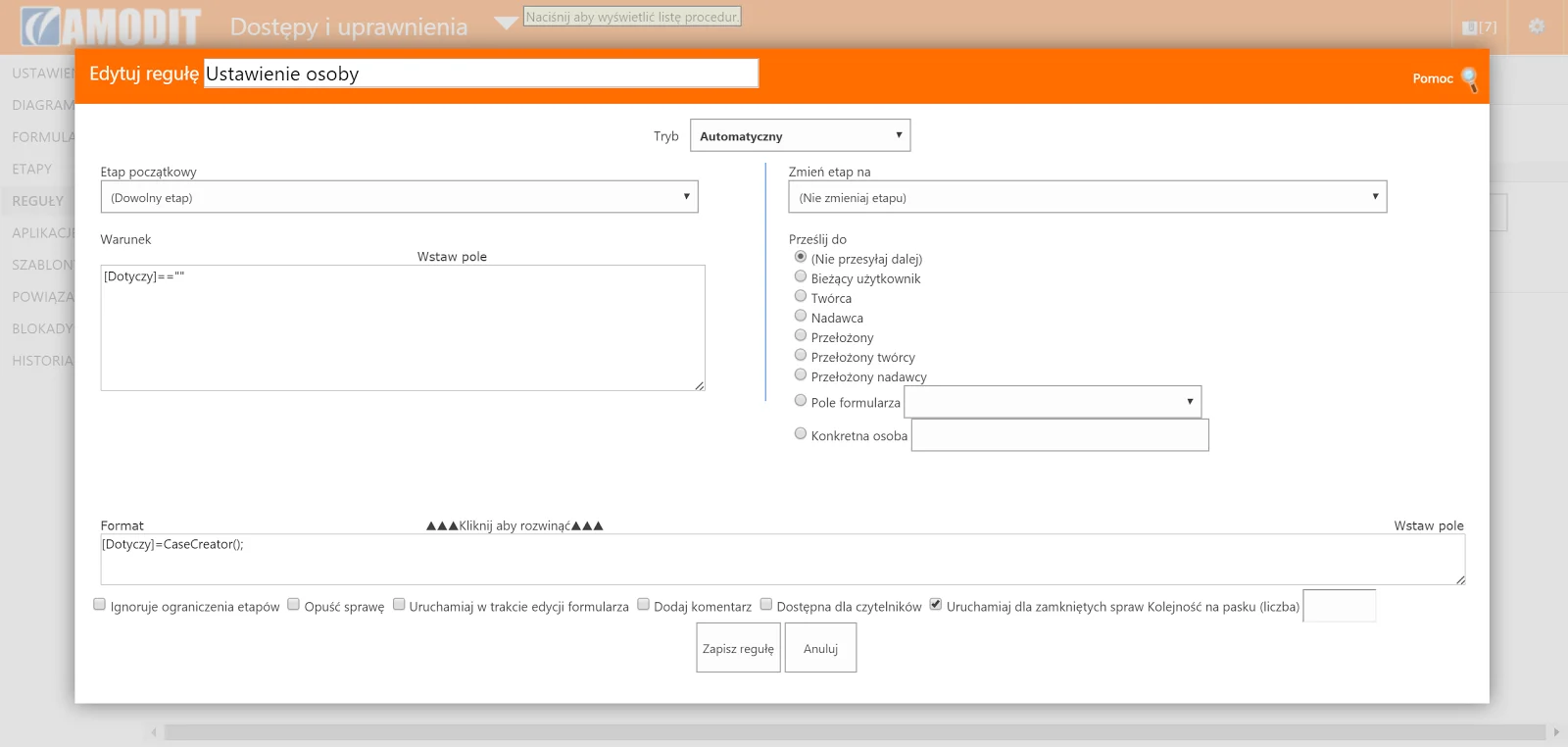
The previous rule editing window looked like this:
The redesigned version looked like this:
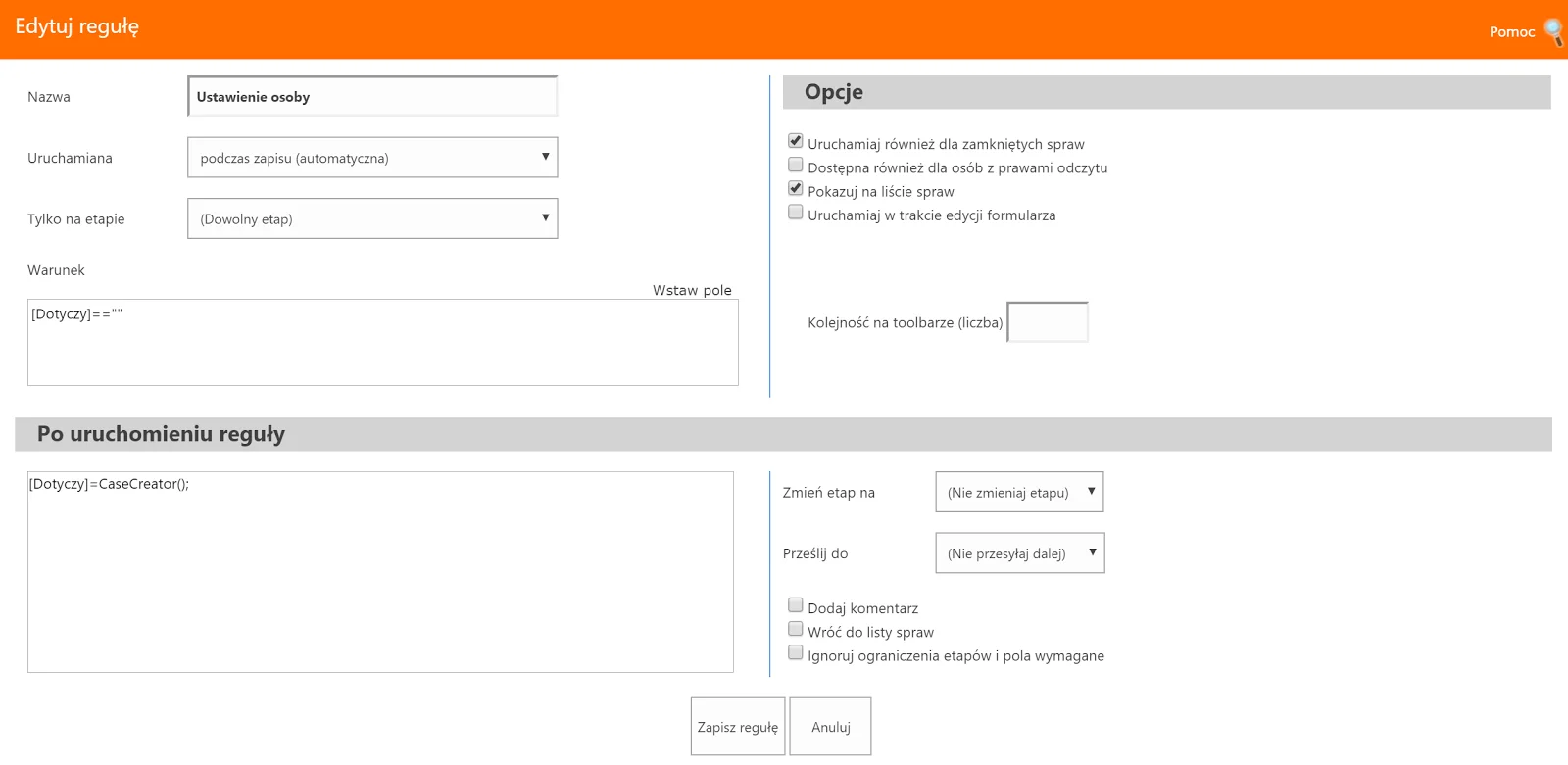
The window uses the full available screen, leaving more space for information. Options are grouped more clearly. The upper area defines when the rule should run, while the lower area defines what happens when it runs. The script code also has more room.
Code Editor
Selecting the code opens the editor. The left side is used to edit code, while the right side displays contextual help.
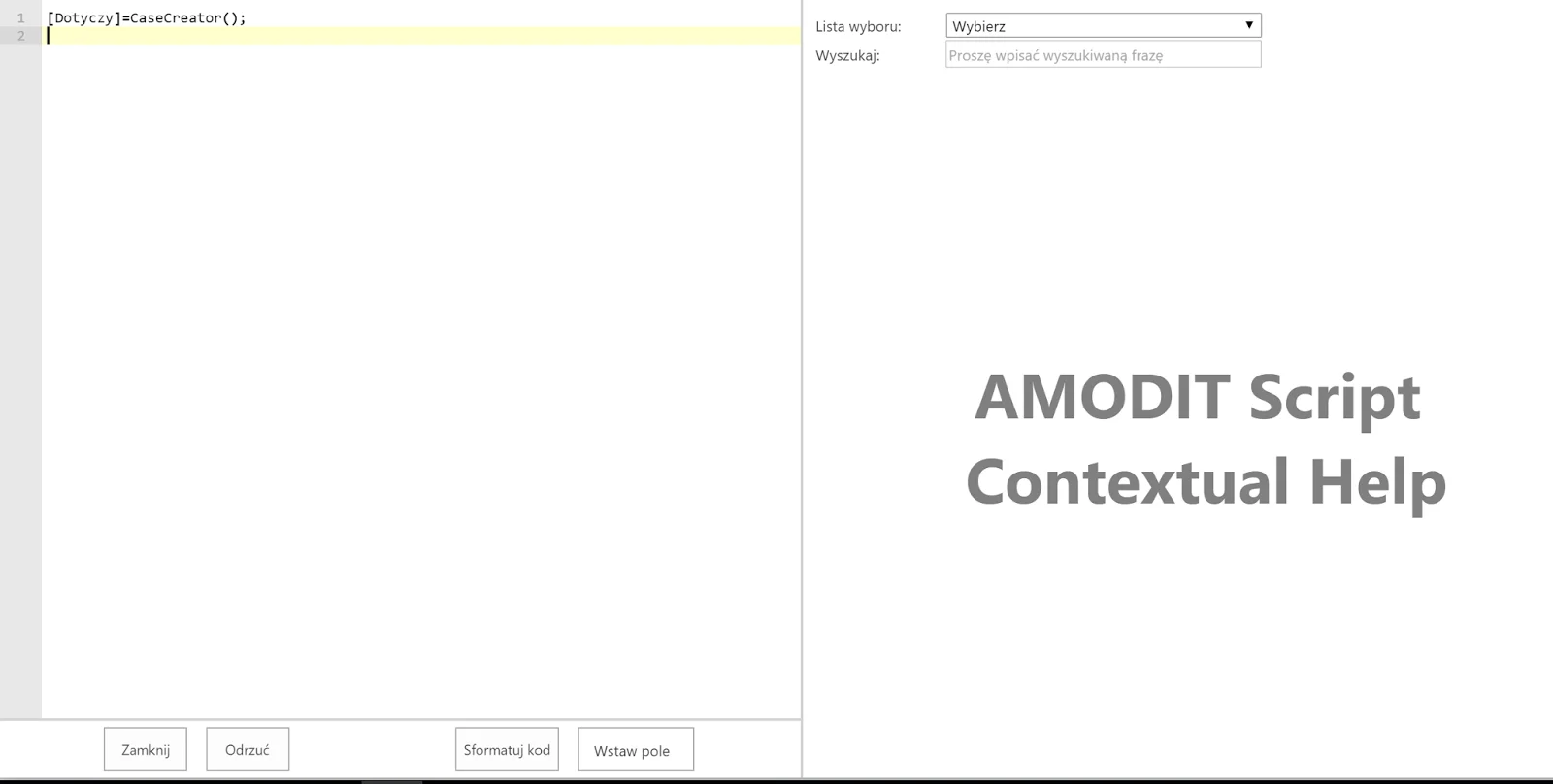
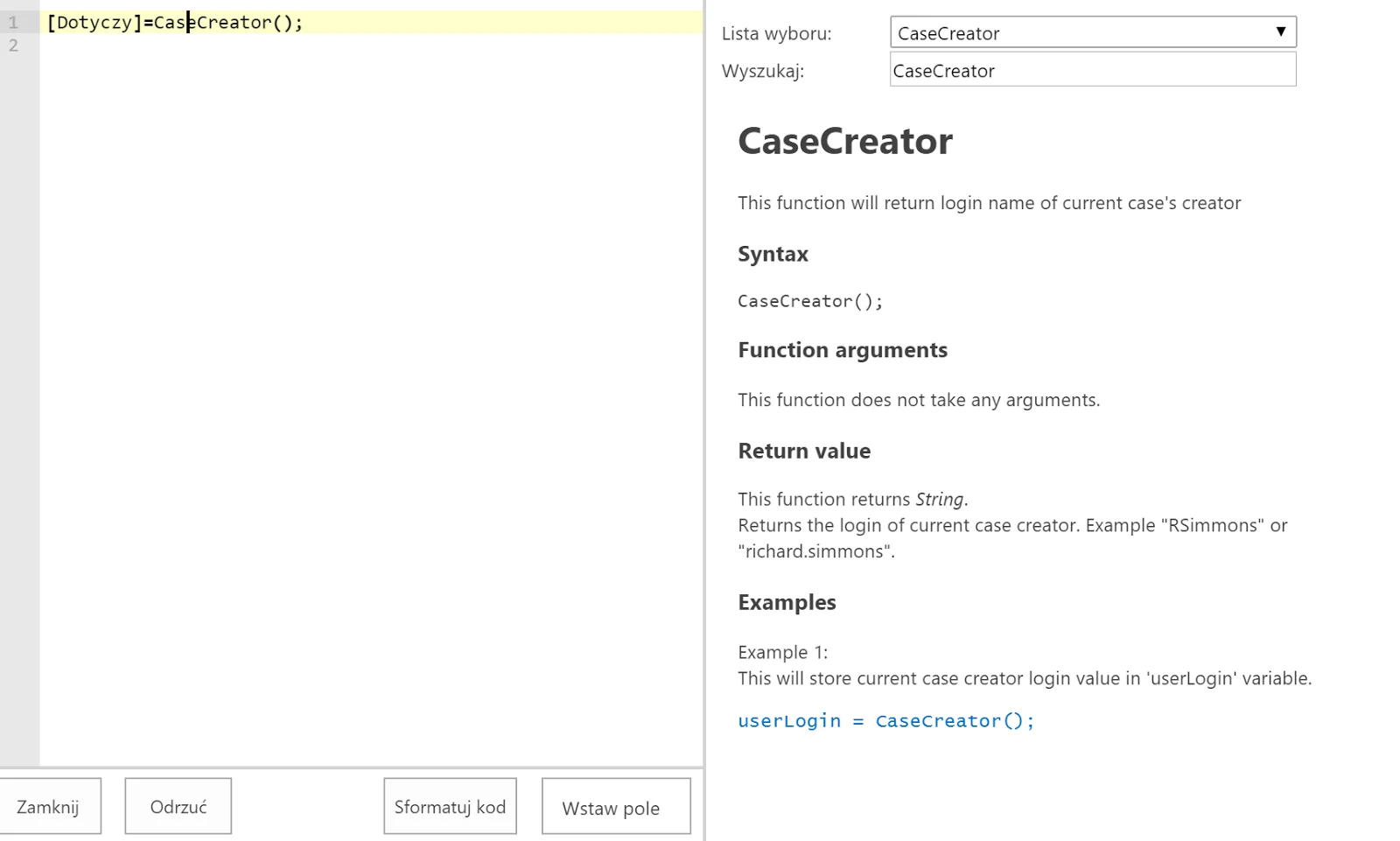
There are four ways to display a function description in the help pane:
- select it from the list in the upper-right corner;
- use the search box in the upper-right corner;
- point to the function in the code with the mouse or cursor keys;
- start typing its name in the editor—the IntelliSense option.
IntelliSense
After a user begins typing a function name, IntelliSense suggests matching names. Selecting a function displays a short description, calling syntax and parameter list. The help pane also shows the complete description and examples.
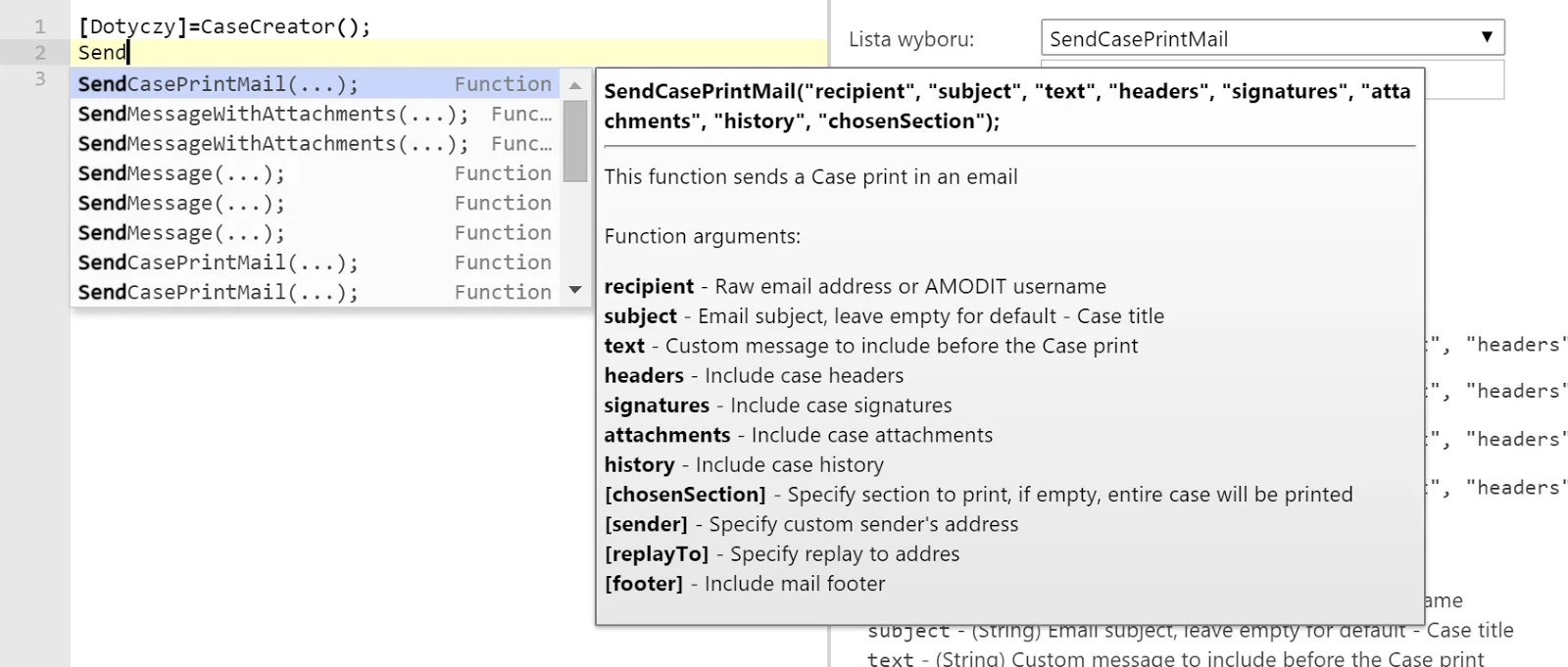
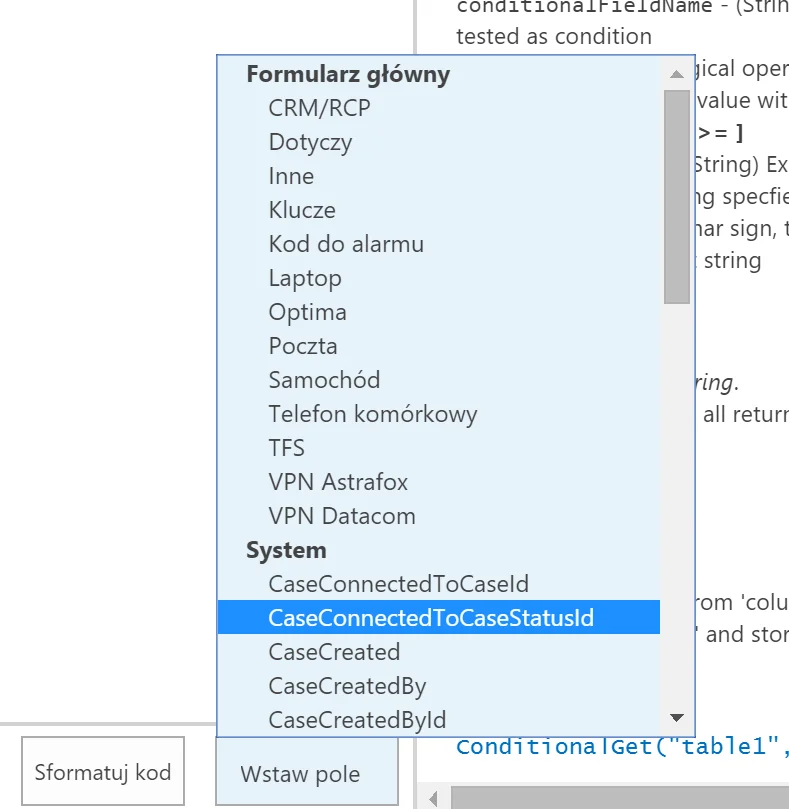
Suggestions also cover keywords, system field names and fields from the form. The editor highlights syntax and formats code automatically. The buttons for formatting code and inserting fields remain available.
These changes were designed to make rule creation easier.
Discuss Process Configuration
Review how AMODIT rules can support a specific workflow.