Easier Daily Work in the New AMODIT Interface
January 14, 2026
Features
AMODIT Interface
The new AMODIT interface reorganizes the way users work with the system. It does not change process logic or functionality. Instead, it makes case lists, forms and reports easier to navigate and use.
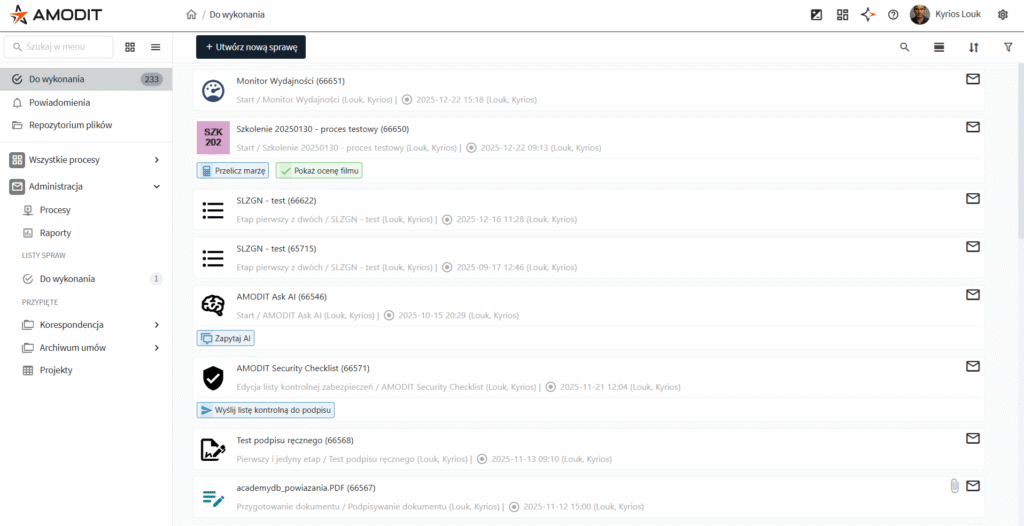
A clearer screen layout
After signing in, the user opens the case list with a side navigation menu and a clearly separated workspace. Navigation, case lists—including reports and summaries—and business areas are distinct.
This structure helps users find the right view faster, reduces the number of elements competing for attention and makes switching between modules easier.
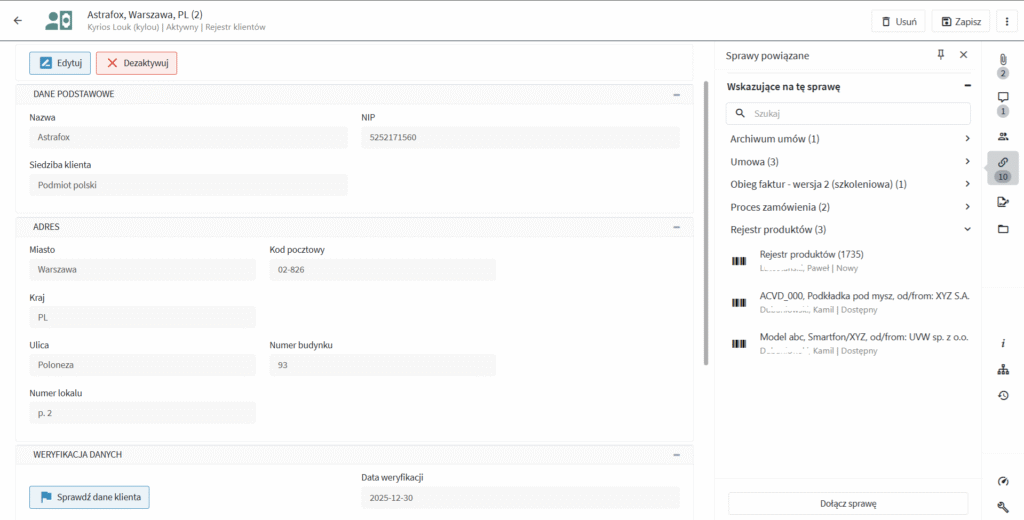
A consistent case form
The case form keeps the most important information visible. The case header is separated from the rest of the form, fields are grouped into sections or tabs, and user actions remain in one predictable location.
Users spend less time scrolling and searching, can understand the current case status more easily and see a consistent layout across different processes.
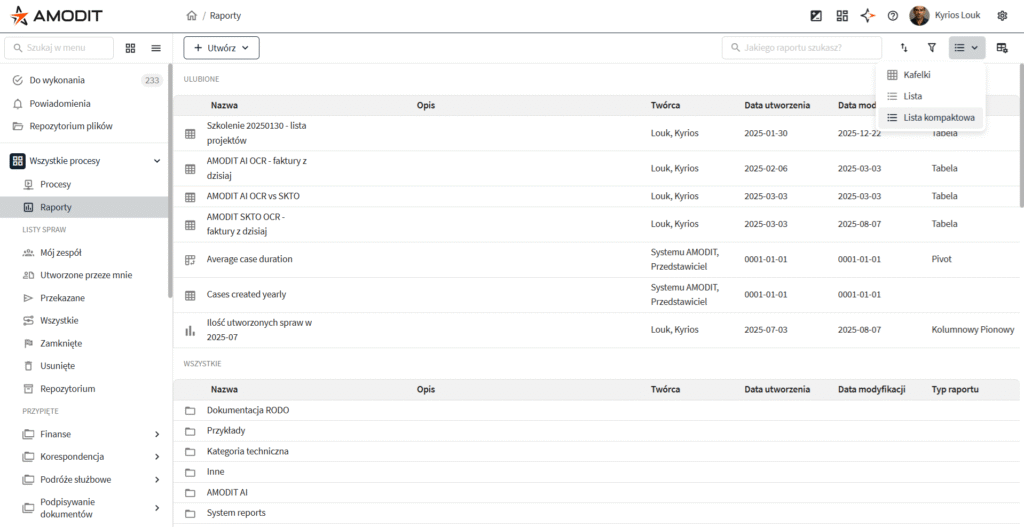
Better orientation in lists and reports
List views, including the report list, separate filters and sorting from the content. Users can select different presentation modes, such as a list or tiles, and read descriptions without opening each item.
People who work with reports can find the right summary faster, reduce mistakes and compare data more easily.