Administration Without Chaos in the New AMODIT Interface
January 21, 2026
Features
AMODIT Interface
The new AMODIT interface improves more than day-to-day user work. It also reorganizes system administration and configuration. A clear module structure, readable lists and direct access to important functions help administrators manage the environment and monitor its operation.
The administration area covers user and group management, dictionaries, system settings and logs. Its structure supports order, security and flexible configuration without unnecessary complexity.
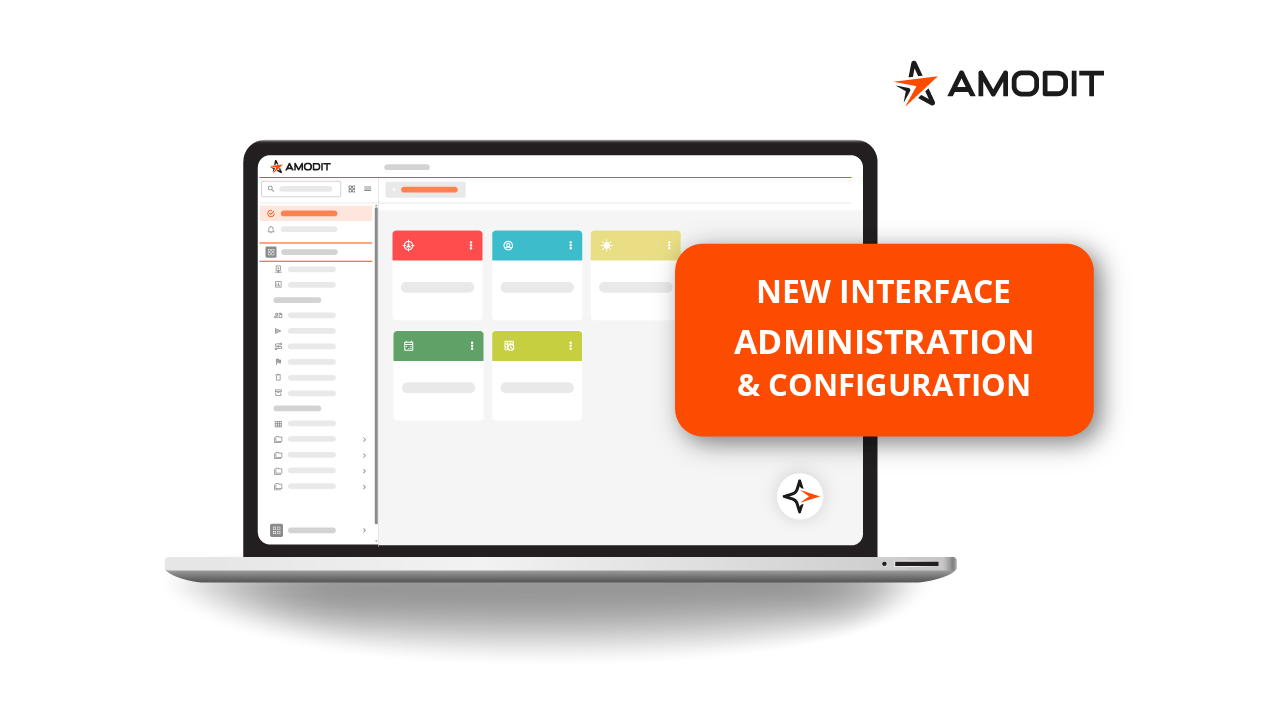
Administration modules in one workspace
The new interface brings key administration modules together. Administrators can find settings more quickly, reduce the risk of changing the wrong option and return more easily to functions used only occasionally.
User management
The user list is available from the settings menu. An administrator can open a user profile, search and filter the list, add a user or send invitations, and narrow the view by organizational structure.
The same screen provides access to organizational-structure management, visible-column settings and the configuration panel.
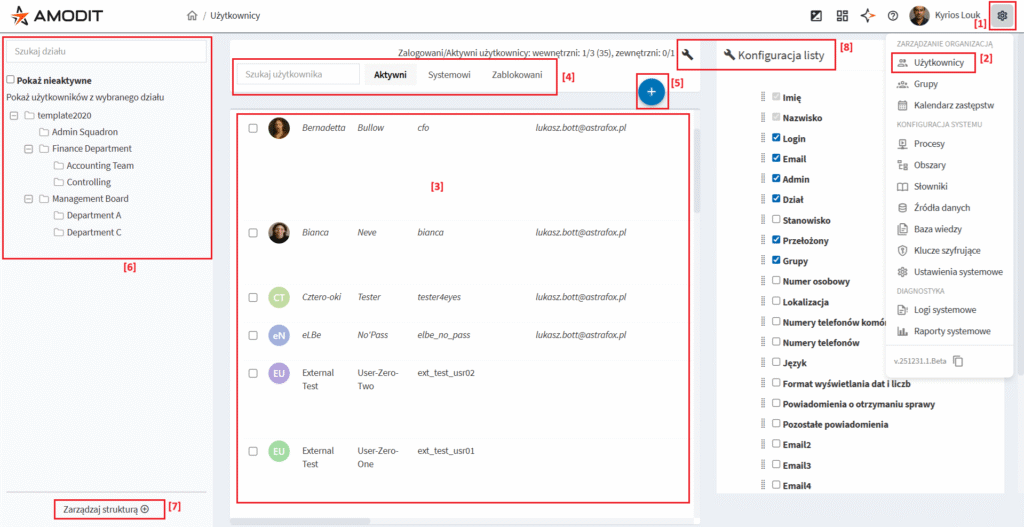
Access: the user list is intended for system administrators and user or group managers. Visibility for regular users depends on the system parameter under System Settings → User Interface → Show or Hide Buttons → Hide Link to User and Group Lists for Non-Administrators.
Group management
The group module opens from the settings menu. Administrators can view group members, search and filter users, add several users at once, browse the group list and create a new group.
Group parameters and a change history are available in the same area, which makes membership and configuration easier to review.
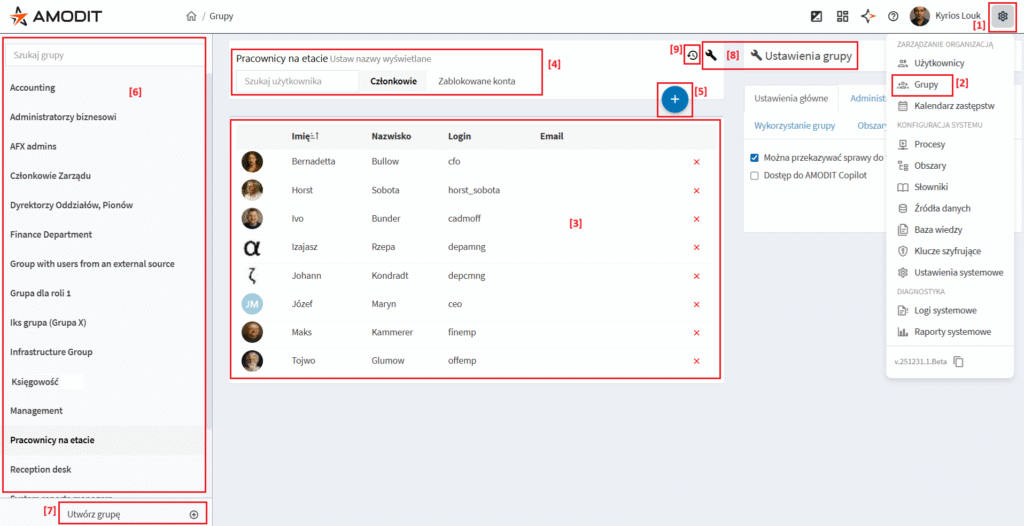
Access: group management follows the same administrator and user or group manager permissions as the user list. Access for regular users is controlled by the same system parameter.
Dictionaries
The dictionary module provides a list of dictionary items, row editing, search and filters. Administrators can add items, add a dictionary or import its definition, and manage dictionary parameters.
Items synchronized from an external source cannot be edited or added manually.
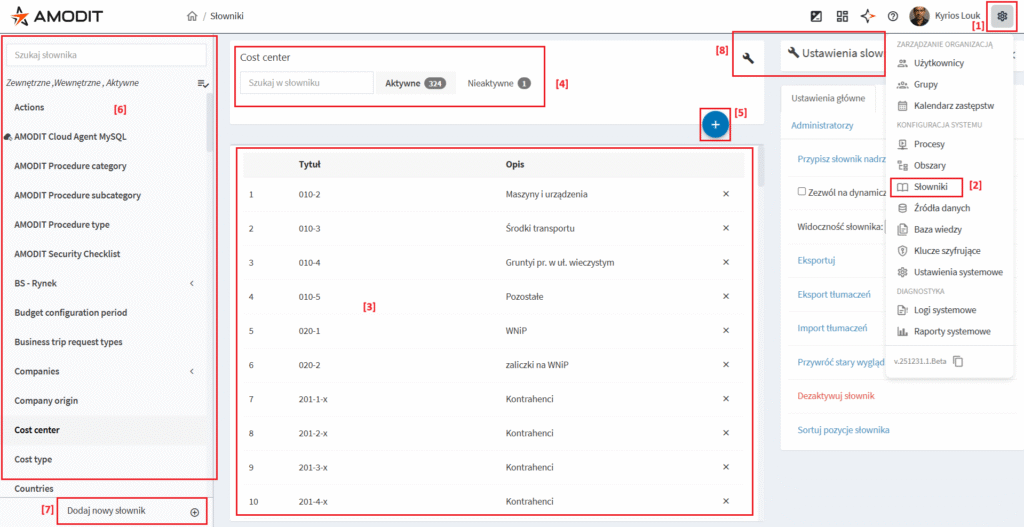
Access: dictionaries are available to system administrators, dictionary managers and administrators assigned to a specific dictionary.
System settings
The System Settings module opens from the settings menu and is reserved for system administrators.
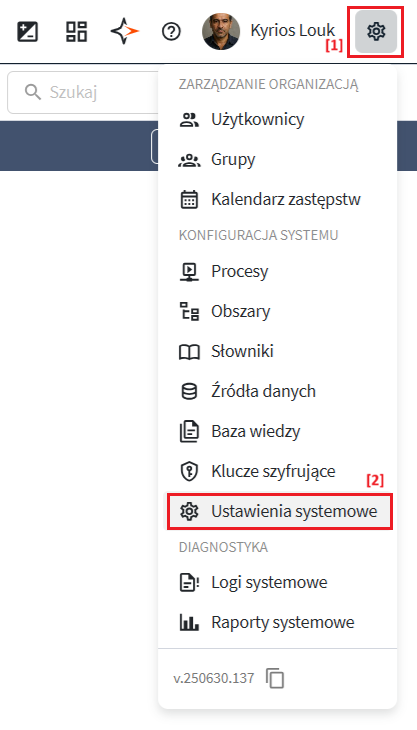
Configuration parameters
Configuration parameters are organized into tabs and sections. Administrators can search for settings, save or discard changes, and use the legacy form while the interface transition remains in progress. Some Boolean settings save automatically.
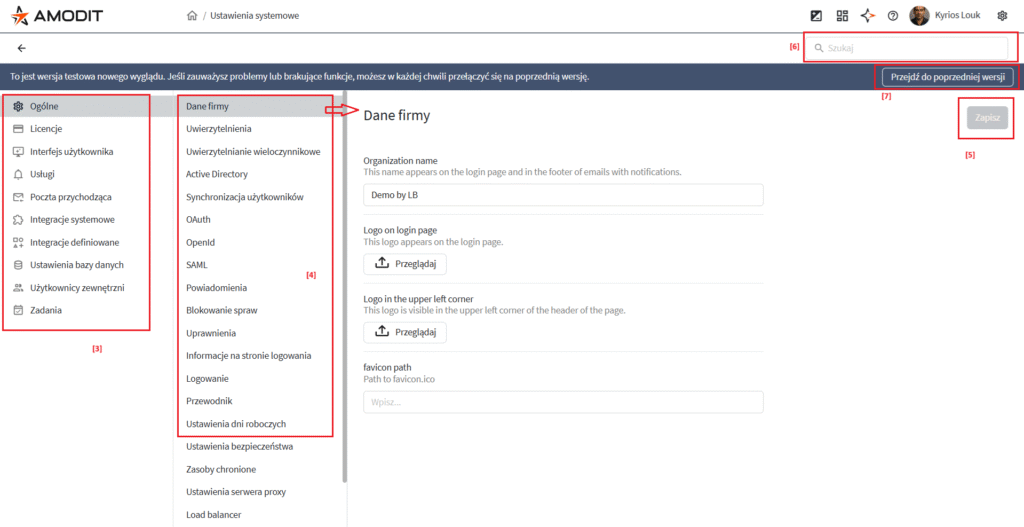
Access: system settings and configuration parameters are available only to system administrators.
System logs
The System Logs module displays the newest entries first and opens details for a selected event. Administrators can filter and search the list, move between administration activity and the outgoing mail queue, and export selected entries to Excel.
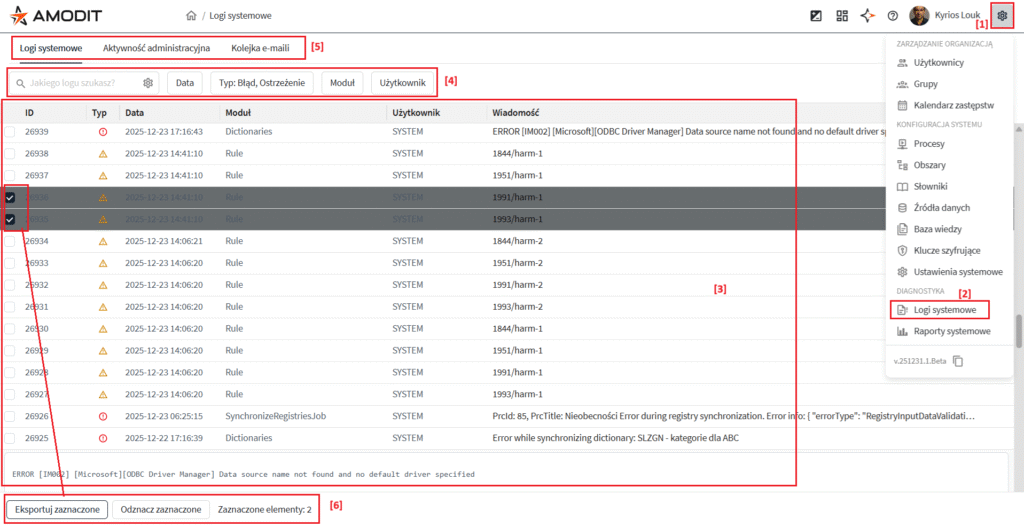
Access: system logs are available only to system administrators.