Case Management in the To-Do List
July 26, 2021
Features
Case Management
To-Do List
AMODIT release 210618 expanded the To-Do list with configurable grouping, sorting and filtering. Users can organize assigned cases around the way they work.

Grouping Cases
AMODIT previously grouped tasks automatically by process when a user participated in more than one workflow. This made it easier to switch between tasks belonging to a specific process.
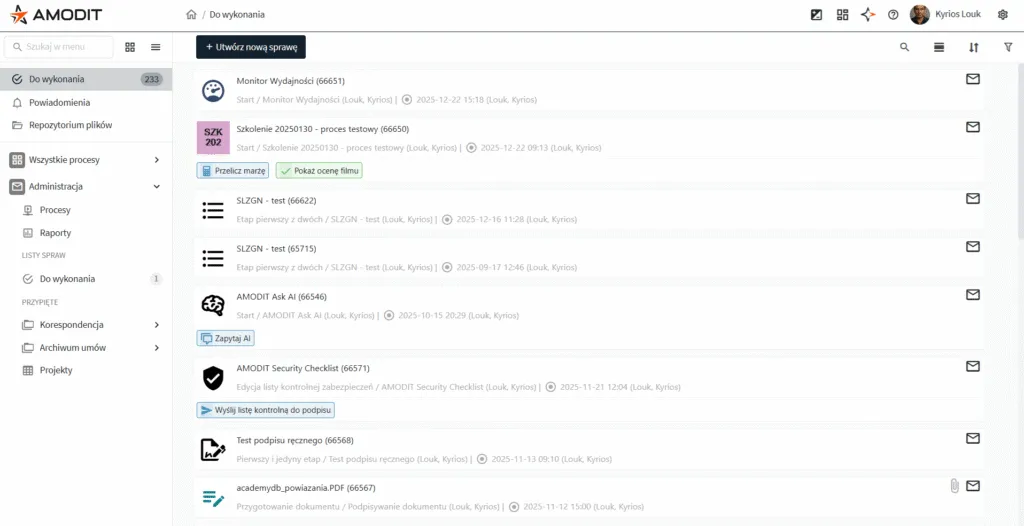
Release 210618 lets the user choose the grouping parameter. Open the To-Do list and select the grouping option. In addition to the redesigned process view, tasks can be grouped by due date, owner, received date or sender.
Due Date
Grouping by due date highlights tasks that are approaching their deadline or are already overdue.
Owner
This view separates cases assigned directly to the user, shared through collaboration, assigned to a user group or received through a substitution.
Received Date
Users can find cases assigned today, during the previous week or earlier.
Sender
Grouping by sender shows cases passed to the user by a specific colleague or manager. Selecting the List option returns to the complete To-Do list.
Sorting Cases
Instead of relying on one default order, users can select the sorting parameter that matches their priorities.
Filtering Cases
Filters narrow the list when grouping and sorting are not enough. Users can select a process and show only unread cases, cases with attachments or cases received with elevated priority.