Embedded Case Reports
May 23, 2022
Features
Reports
Case Management
Users often need data before completing a form or making a decision. AMODIT reports can be embedded directly in a case form so that the relevant information appears in the same workspace.

1. Complete Forms With Relevant Context
Consider a leave request that requires the employee to name a substitute. An embedded report can show whether the proposed person has planned leave, another absence or a business trip during that period. The employee can review availability and make an informed selection.
This is one of many uses. When a process starts, the form can display the information needed to complete it correctly, reducing avoidable returns and clarification steps.
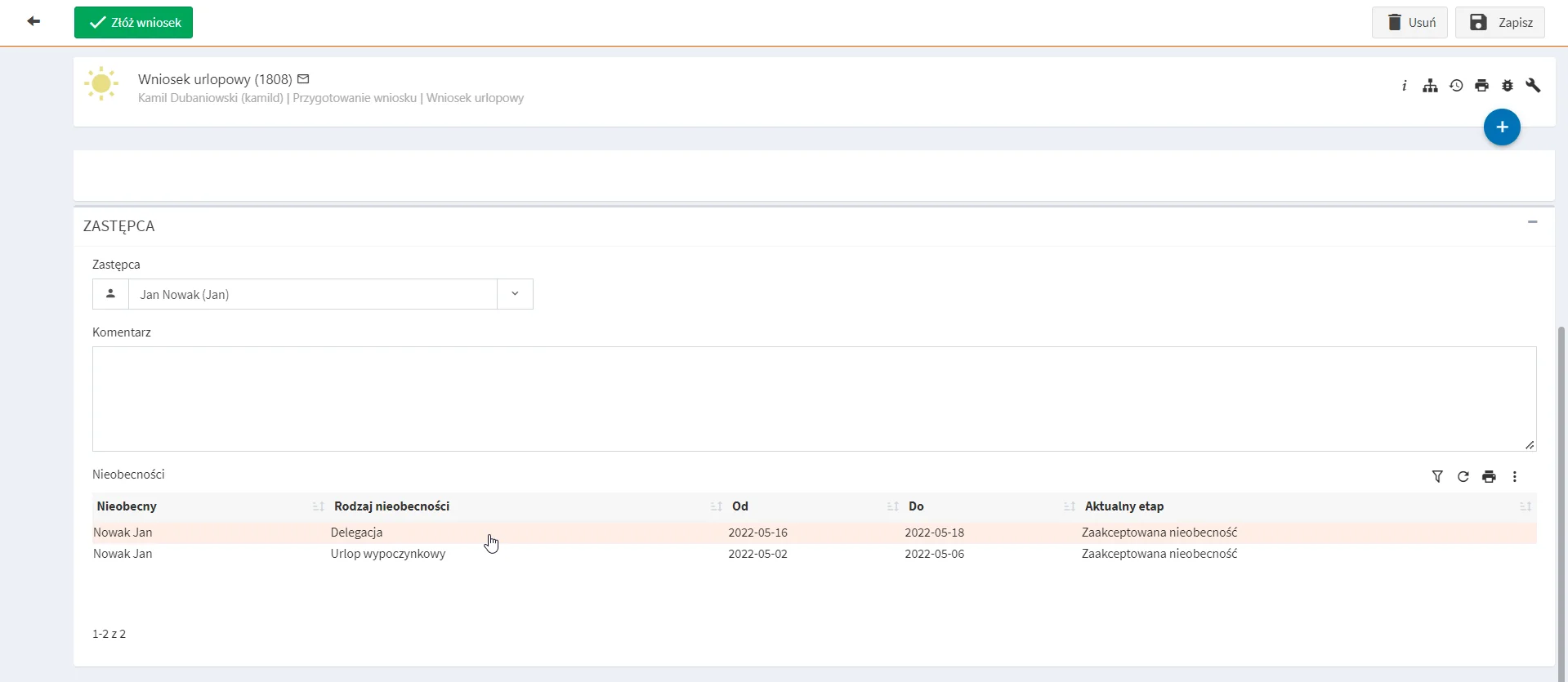
2. Make Decisions Without Switching Screens
When a leave request reaches a manager, the manager may need to review the team schedule before approval. Without an embedded report, this requires opening a separate report, filtering it and then returning to the task.
A prefiltered report in the request removes the need to switch views or filter manually. The manager sees the relevant team data next to the decision.
3. Act on Cases Listed in a Report
Embedded reports can also support complex processes with one main case and several related cases. In employee onboarding, for example, a report can list every task required before the process is complete.
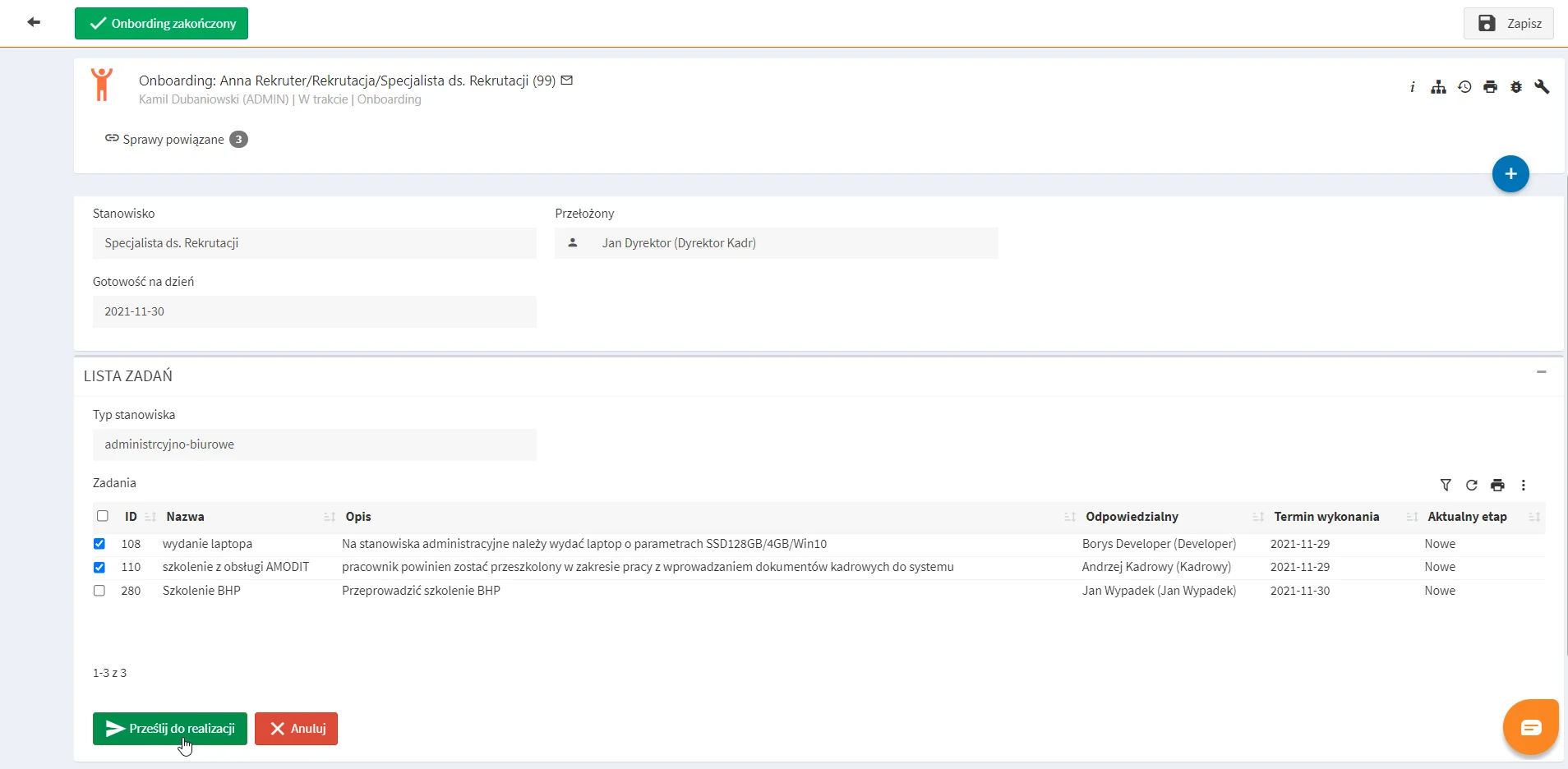
A selection option lets the user choose cases from the report. A configured manual rule then runs only for the selected cases. Process designers can use the same pattern wherever a form needs context, related work and controlled actions in one place.