Contract Register
November 22, 2018
Features
Features
Contracts
A secure contract register keeps documents in one place, describes agreements and related files with searchable attributes, and controls access by document type, contractor or another business rule.

Registers, multiple attributes and approvals
These objectives guided an AMODIT contract-register implementation for a customer facing the following problem:
The organization held a large number of paper agreements with attachments or annexes, plus scans stored in network folders. This made it difficult to organize the archive and its document versions, find the right agreement, and assign access to individual documents.
The solution
The contract register was implemented as an AMODIT process. Different field types represent attributes of agreements and related documents, including:
- the parties to the agreement, including multiple entities;
- basic parameters such as signing and end dates, amounts and payment terms;
- contract-expiration reminders;
- additional attributes specific to the agreement, such as its type, subject and detailed performance requirements.
The agreement scan is stored in a form field. Related documents are stored in an additional table with an attribute defining their type, such as an annex, general terms of service or an extract from Poland's National Court Register (KRS).
Benefits of the contract register
- Agreements, annexes and attachments are archived in one place. When a scan is updated, AMODIT creates a version, giving users access to the document's change history.
- Advanced search lets users build views that search and filter the register by selected attributes.
- Only designated people can access each document. Permissions follow automated assignment rules or are granted ad hoc by register administrators.
The contract registration process
- An administrator creates an AMODIT case for the agreement manually, or a scan emailed to a designated inbox starts it automatically when AMODIT reads the mailbox.
- Contract-register administrators enter the initial attributes and send the agreement to its owner or the Legal team for verification.
- The contract owner verifies the data and completes any missing attributes.
- A verified agreement receives an active status while it remains in force or an archived status after it ends. AMODIT also notifies the contract owner or Legal team before the expiration date.
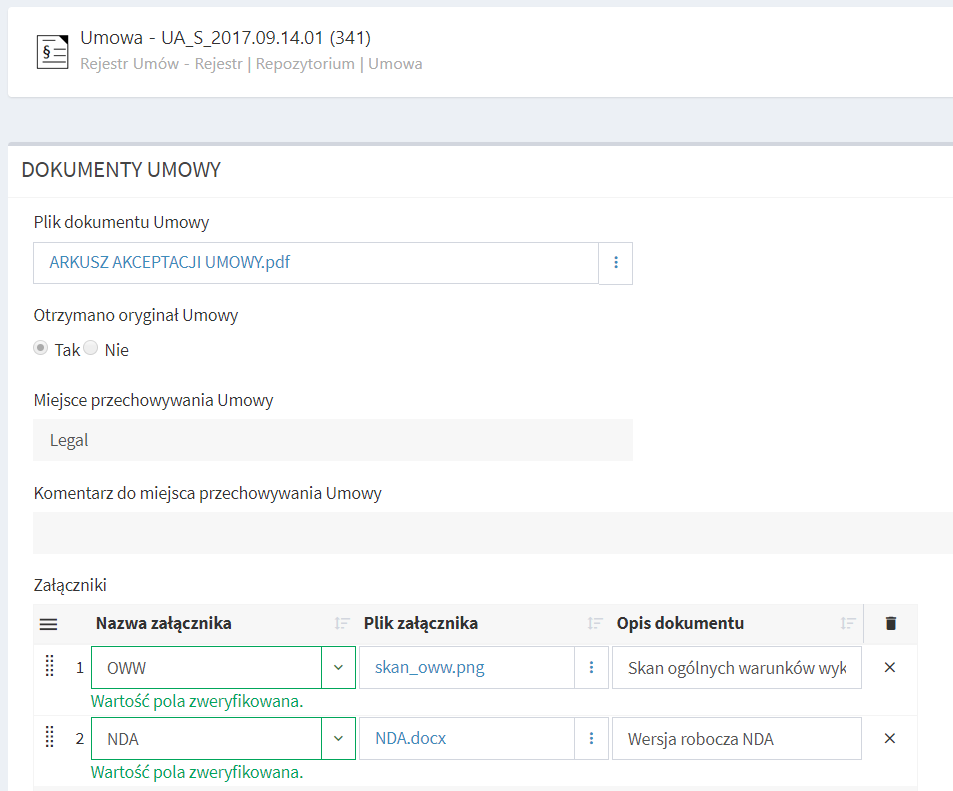
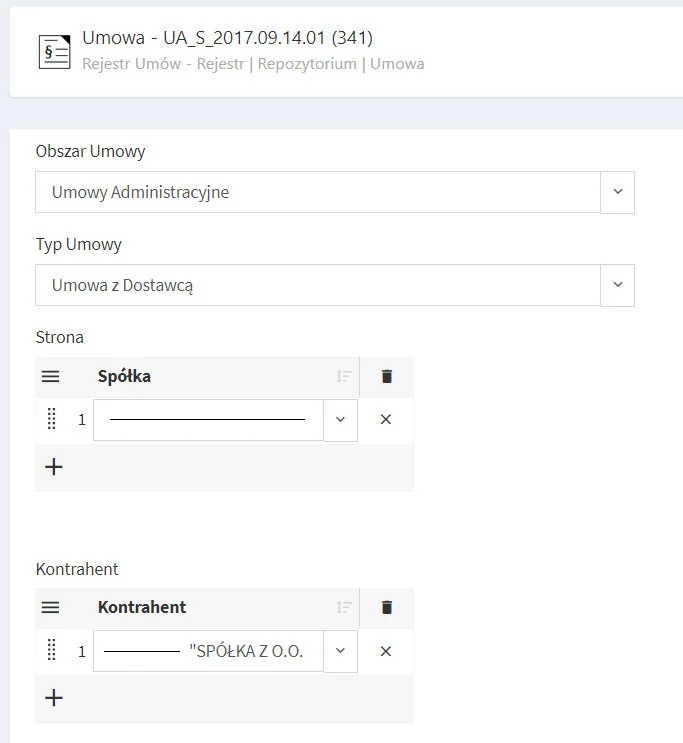
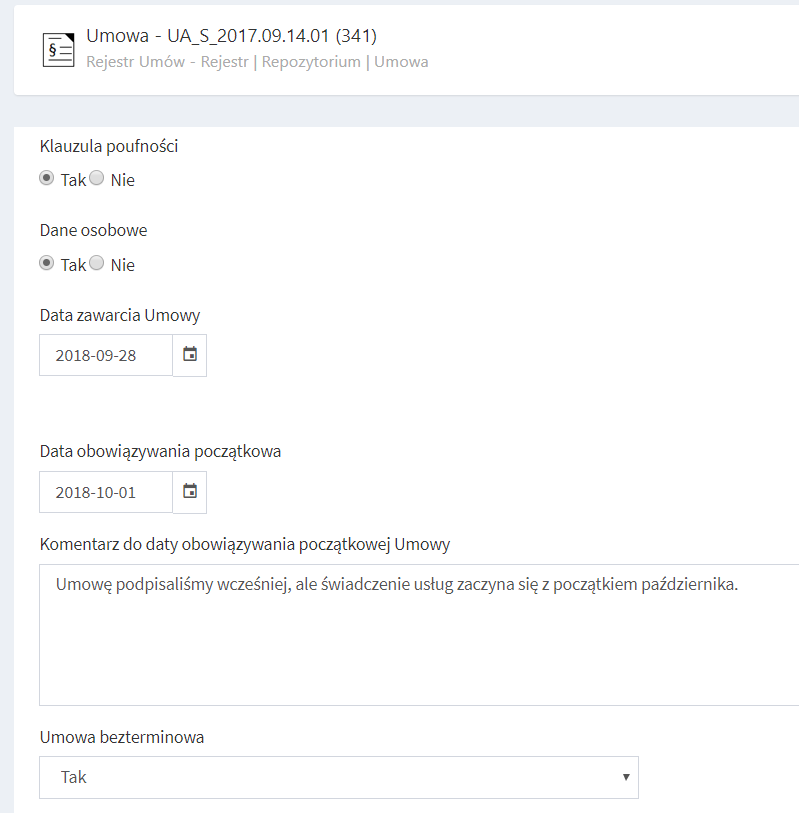
The register works in any organization or sector that records agreements and their related documents. Legal, HR and Administration teams are typical users. The implementation described here was completed for the Legal team of an international media agency.