
BPM Platform
Our BPM platform reduces paper-based document handling, optimizes operational processes, and streamlines workflows to improve organizational efficiency.

Processes You Can Improve
WITH BPM PLATFORM
Request for Proposals (RFP) Handling
Creditworthiness Analysis
Purchase and Sale Agreement Management
Internal Company Communication
Handling Special Orders for Key Clients
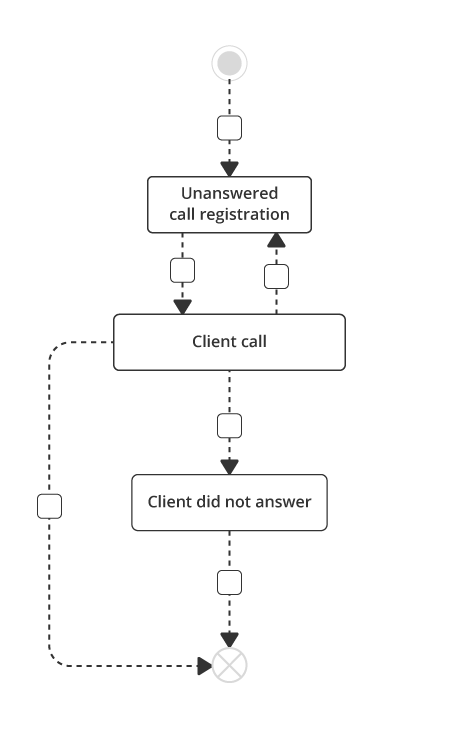
Client Callback and SMS Messaging
Vehicle Issuance Procedure
Approving Menu Changes
And More
From a complete form to a clear decision
Every process can be configured differently. These independent options are selected to match the case type, accountability and the organisation's rules.
Data tailored to the case
A form can present the fields, lists and attachments required for a specific case. The data shown and editing rights can depend on the user's role and the current stage, so the right information is available before a decision.
The right participant without manual routing
A responsibility matrix can select the recipient or approver from case data such as category, business unit or value. Routing follows current assignments and rules, which designated users can maintain.
A decision pattern that fits the process
Approvals can be collected in sequence or independently from several people. A stage can require every response or a decision from an authorised member of a group, based on clear accountability rules.
Returned with a clear reason
An incomplete case can be returned for correction or consultation. The comment explains what is missing, and the response remains with the case. The process configuration defines the recipient and the route back for another decision.
Access aligned with responsibility
The case owner, contributor and observer can have different rights to view, edit or decide, based on the document category, business unit and an agreed role model. Time-limited cover can be restricted to selected processes and a defined period without widening access for every participant.
Deadlines in the case context
Dates and statuses can show when a response, signature or action before the end of a document's validity period is required. A reminder reaches the designated recipient in the context of the case. This mechanism depends on accurate dates, statuses and assignments.
Related cases and documents in context
A configured link can connect an amendment to a contract, an invoice to a purchase order, or a preparation task to an onboarding case. Selected data can be reused when identifiers and relationships are set up correctly. Users can see the context and outcome of related work without searching separate folders.
Documents prepared from case data
An agreed, current template can be populated with case data to prepare a document, such as a PDF. Selected workflows can also organize scans. This helps reduce manual document assembly, while the responsible person reviews the completed document before it is used.
One process pattern across business units
A case can be routed to a business unit based on its data, intake channel, or the user's selection. Shared rules can operate alongside unit-specific routing and access. If the information does not identify a unit clearly, the case can be sent to a designated person for resolution. This setup depends on a current organizational structure and routing rules.
Batch work with case-level control
An import can create a set of separate cases, and selected actions can be run across a group when supported by the action and the available tool. Each item keeps its own status, so users can distinguish completed cases from those that need correction or review.
Schedule a free consultation with one of our specialists, and we’ll guide you step-by-step through implementing AMODIT in your company.
Optimize Key Areas
Finance
Automate financial workflows and reduce errors resulting from manual tasks.
Human Resources
Store all employee data in one place and simplify HR tasks through automation.
Legal
Optimize the work of your legal department – organize contracts and addenda in a single system, granting your team easy access to vital information.
Administration
Reduce delays, avoid errors, and eliminate lost documents by automating administrative workflows.
IT
Enhance project monitoring and management for your IT team with an efficient, automated system.