

The New AMODIT Interface
June 18, 2025
News
News
User Interface
The redesigned AMODIT user interface reflects user feedback, behavior analysis and established UX practices. The objective was to modernize the platform and make daily work with documents and processes more intuitive.
New Interface Capabilities
- A redesigned application menu and layout.
- Direct access to assigned tasks from any context.
- Notifications presented as a readable list.
- Menu search without browsing through the hierarchy.
- A collapsible menu that provides more workspace.
- A lighter, clearer case view.
- Flexible placement of the action bar.
Structured Left Navigation
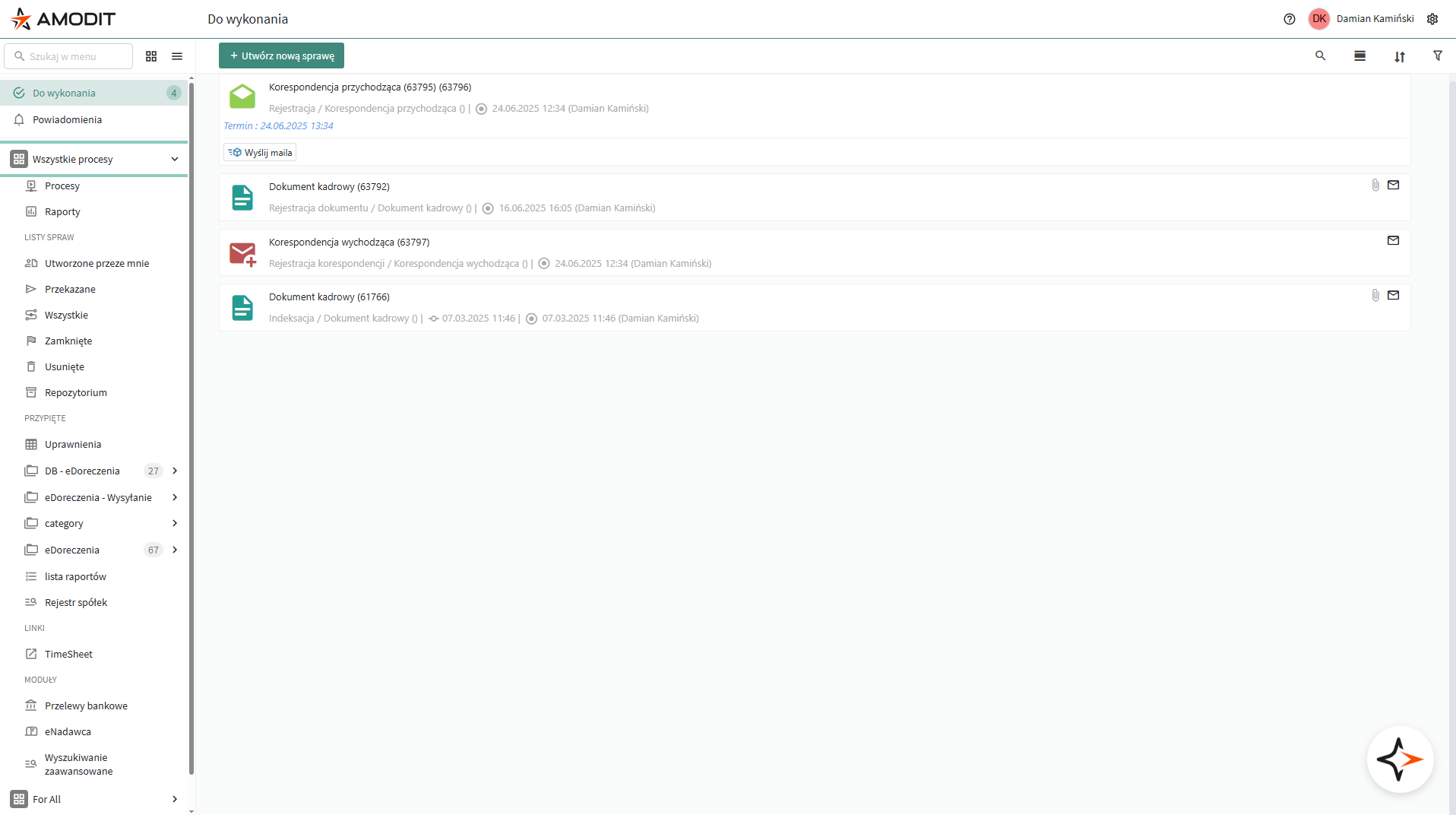
The left menu is the main navigation point in AMODIT. Its logical sections include case lists such as To Do, All and Closed; pinned reports and dashboards; links to external applications; and modules specific to an implementation. This structure improves readability and shortens access to frequently used functions.
One List for Assigned Tasks
The To Do section sits above business areas and brings together every case assigned to the user, regardless of process type or department. One click opens the complete list of pending work.
Visible Notifications
Notifications and mentions previously appeared in the top navigation bar and could be overlooked. The new list format makes comments and mentions immediately visible alongside other work.

Search Within the Menu
A search field at the top of the left menu provides direct access to lists, reports, modules and links. Users can type a few letters instead of browsing through several menu levels.
More Workspace with a Collapsed Menu
The left menu can be collapsed when a user needs more room for the case view. Icons and tooltips remain available, preserving navigation context.
A More Focused Case View
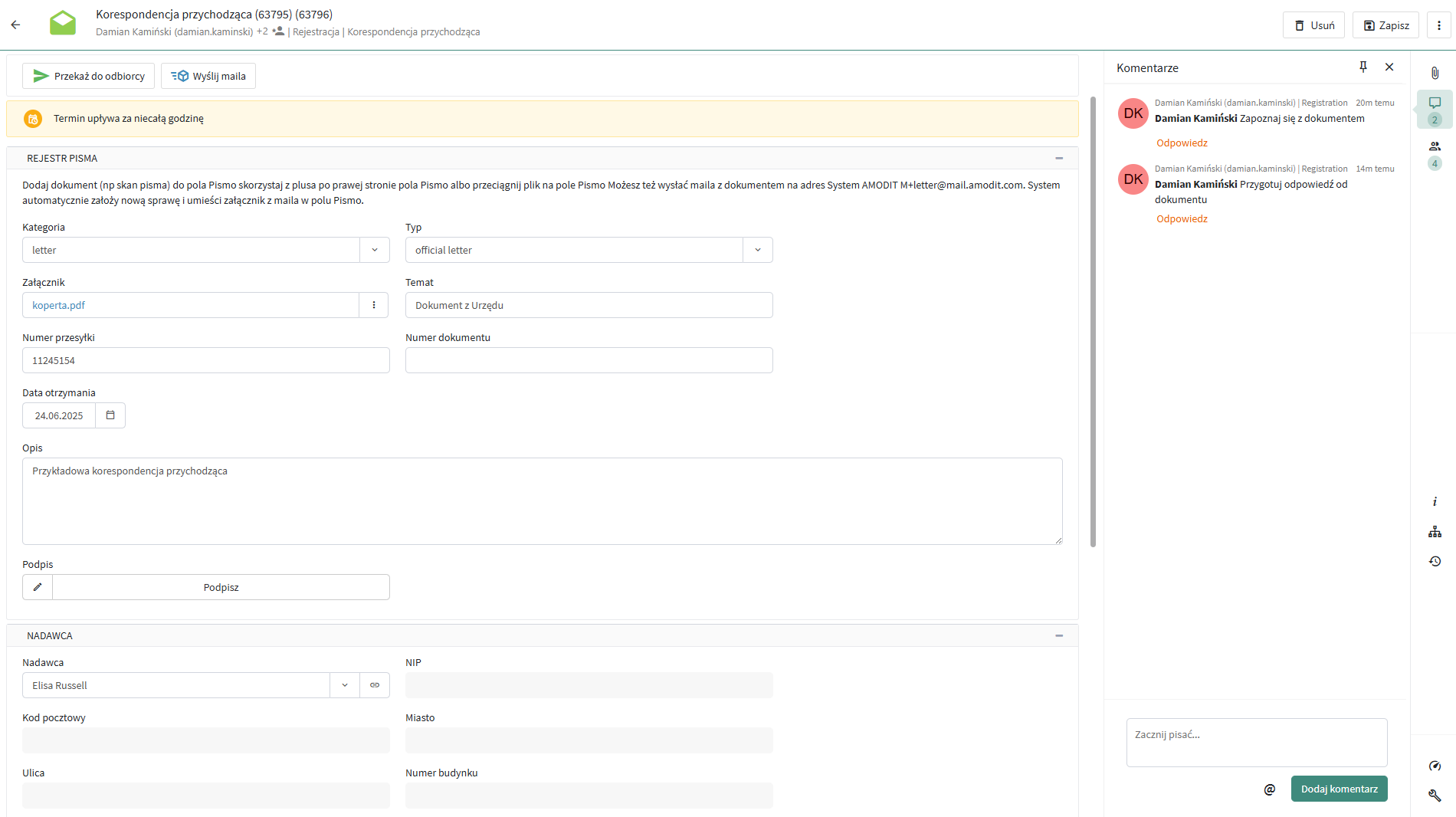
The case is the core AMODIT workspace. The redesigned view uses lighter controls and a consistent visual system to make information easier to scan.
Users can also place the action bar above or below the form according to their working preference.
Next Interface Improvements
The next planned changes cover report and process lists. The work includes new filtering, sorting and presentation options such as tiles and lists.
The new AMODIT UI and UX are based on user conversations and analysis of daily work. The platform is clearer, more modern and easier to navigate, with further improvements planned.