

Case Comments
March 30, 2021
Features
Comments
Collaboration
Clear internal communication helps managers coordinate work and helps employees act on precise information. AMODIT comments provide a contextual exchange between users working on the same case.

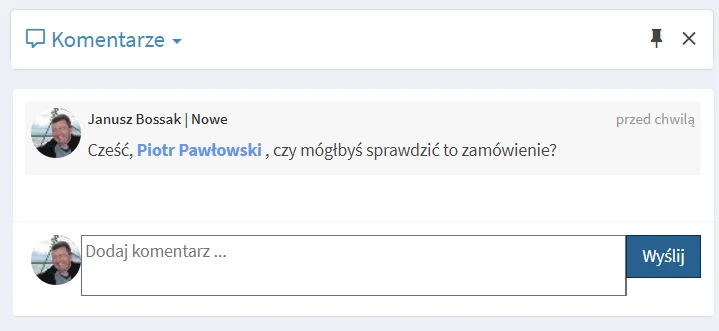
Work on a case often requires a question, explanation or detail beyond the formal workflow. Comments let a user request input while keeping the case at its current stage.
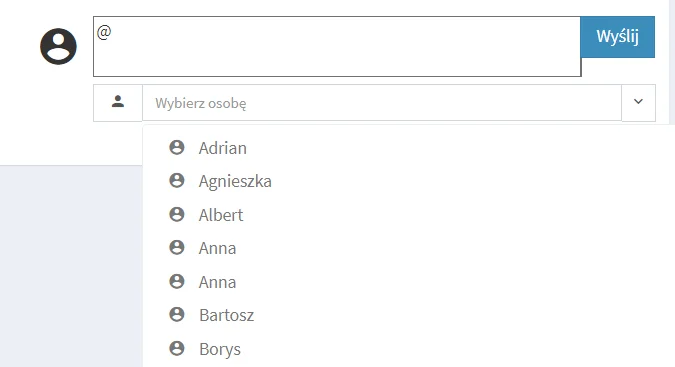
Mention a person by entering @ and selecting the user from the list.
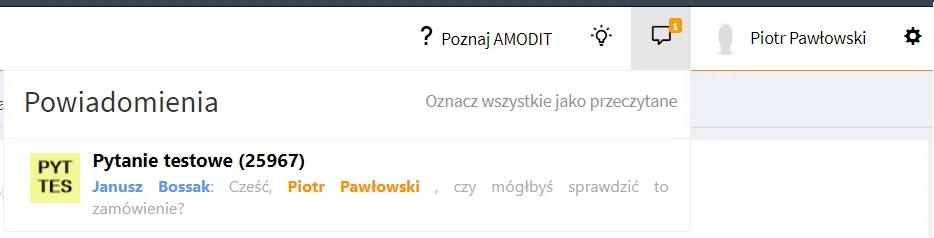
The mentioned user sees a notification in the top bar next to the comments icon, including the number of unread mentions. Opening the icon displays the full list.
Selecting the case title opens the case, where the user can reply in context.
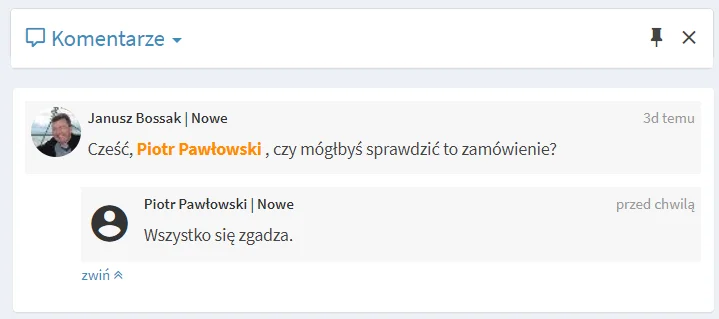
Keeping the exchange with the case creates an orderly record that supports task execution and accountability.
Review Case Collaboration
Discuss comments, notifications and contextual communication in AMODIT.