

Business Areas in AMODIT
March 10, 2023
Features
Navigation
Administration
As the number of AMODIT processes grows, navigation can become crowded. Business areas group related processes, reports and dashboards into focused sections.
Organize Processes Around User Needs
- Divide AMODIT into smaller thematic sections.
- Show users the functions and information they need for their responsibilities.
- Organize the left navigation and reduce search time.
- Use the area configurator available from version 221231.
Business areas help users find relevant information and limit the current workspace to the processes they need.
Before and After Business Areas
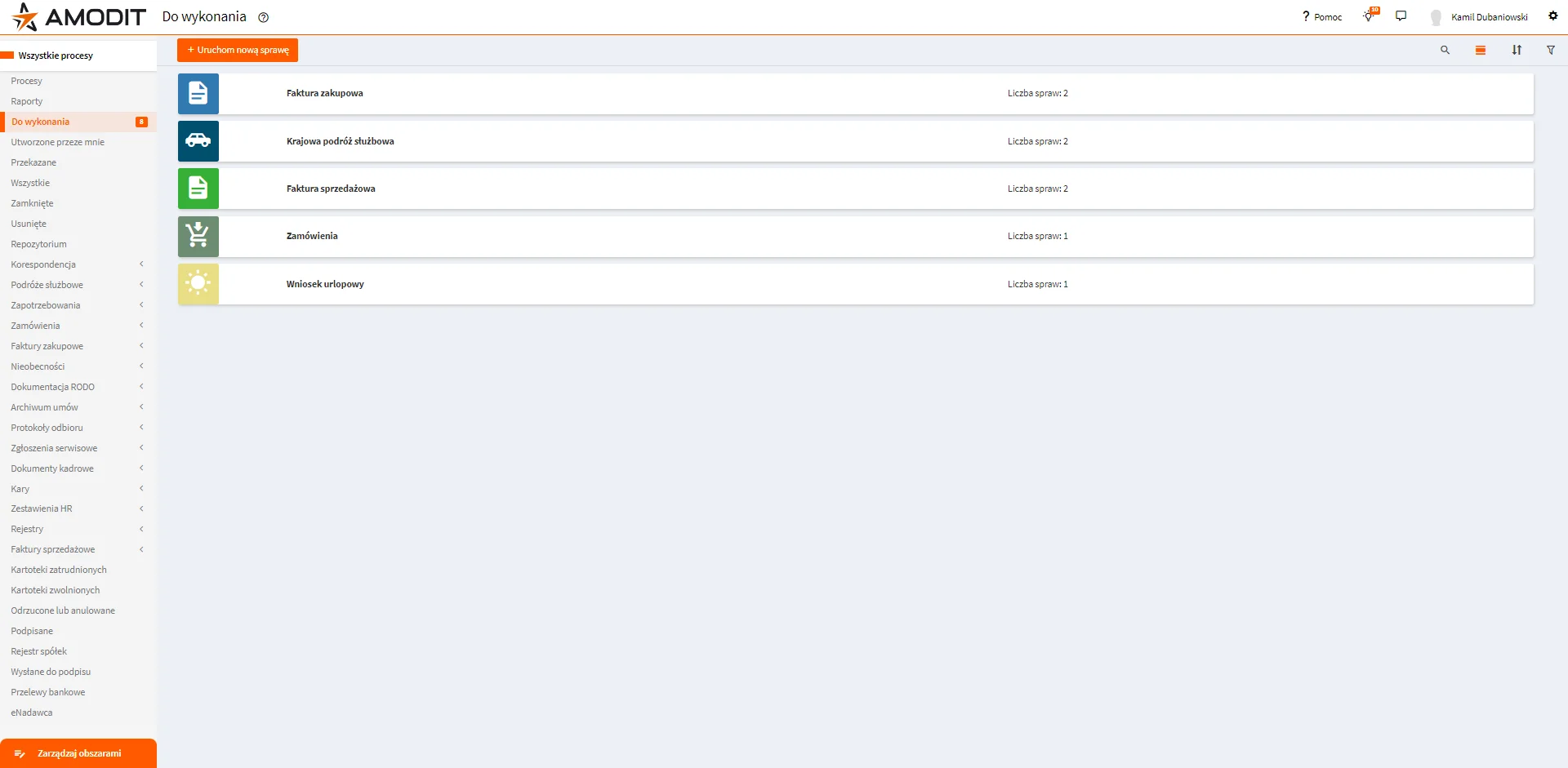
In an ungrouped menu, finding every HR-related item requires scanning a long mixed list.
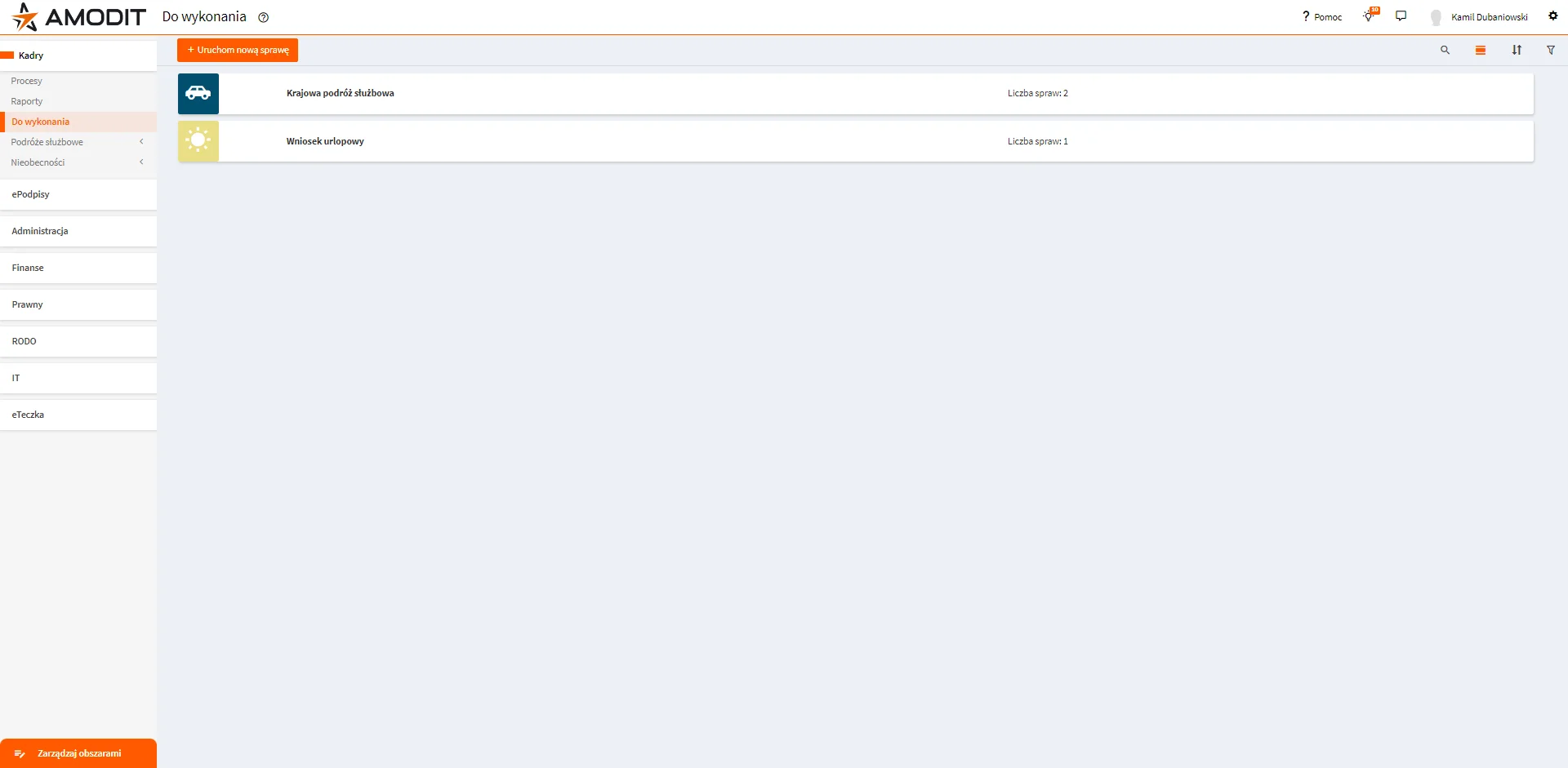
After grouping, the user selects the relevant area in the left menu and sees only the processes, reports and dashboards assigned to it.
Area Configurator
From version 221231, administrators can define new areas and manage existing ones in the application.
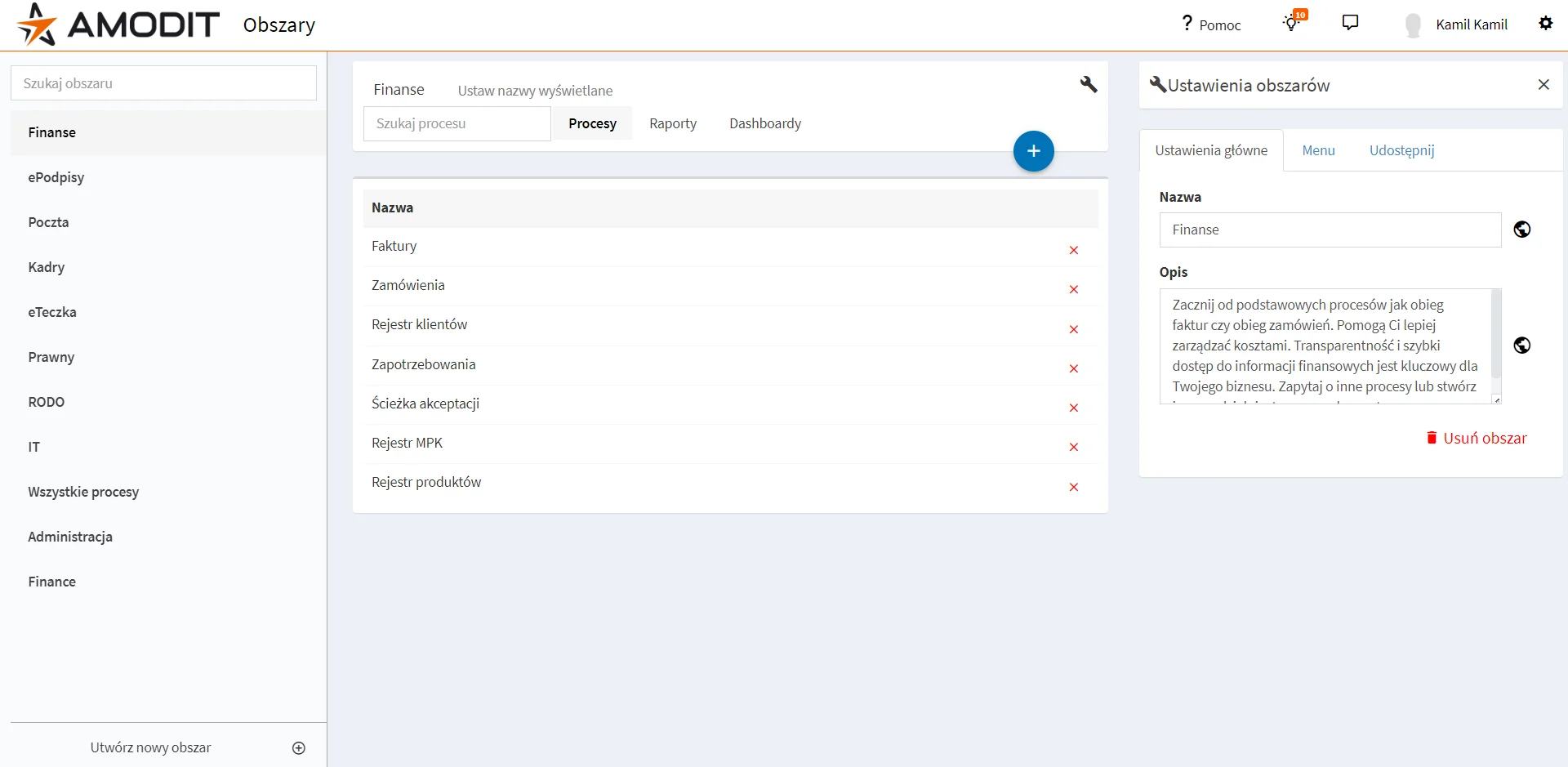
An area can contain existing processes, reports and dashboards, as well as selected system tabs such as Closed or Created by Me. The configuration is flexible, although grouping by business responsibility is the recommended model.
Area Permissions
- Assigned to groups: the area is enabled only for members of selected groups and cannot be hidden by those users.
- Assigned to everyone with self-management enabled: every user receives the area and can hide it.
- Assigned to everyone with self-management disabled: every user receives the area and cannot hide it.
Business areas are included in the standard AMODIT version. The in-application configurator requires version 221231 or later; earlier versions support areas through database configuration.