Switch Between User Accounts
September 15, 2025
Business Tips
New Features
Employees and administrators often work across several roles, departments or companies. AMODIT account switching lets them change the active context with one click instead of signing out and entering another set of credentials.

How Account Switching Works
The feature supports people who have more than one account in the same AMODIT installation, such as a business-user account and an administrator account or accounts for different departments or companies.
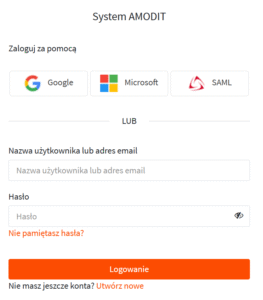
1. Sign In
Sign in with an email address and password or use a configured Microsoft, Google or SAML identity provider.
2. Select an Account
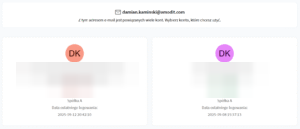
When the email address is linked to multiple accounts, AMODIT displays them as tiles. Select the tile for the account required for the current task.
3. Open the User Menu
To change accounts during a session, select the current user information in the upper-right corner of the application.
4. Expand the Account List
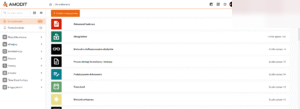
In the user menu, select the arrow that expands the list of linked accounts.
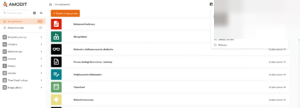
5. Choose the Target Account
Select the target from the available linked accounts.
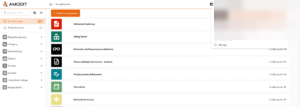
6. Continue in the New Context
AMODIT opens the default page, typically the To Do list, under the selected account's permissions.
Usage and Access Rules
- The feature is useful for administrators who maintain separate standard and administrator accounts.
- It also supports roles in different departments or organizational units within a multi-company installation.
- All linked accounts must use the same email address.
- After switching, close or refresh browser tabs that were opened under the previous account so each screen reloads with the correct permissions.
- An administrator account must be selected during the initial sign-in. A session that started as a standard user cannot switch upward to an administrator account, even when both accounts share the same email address.
One Login, Several Roles
Account switching removes repeated sign-outs for people who work across roles or organizational units. It also preserves the permission boundary around administrator access. The result is a faster change of context with fewer credentials to manage.