

Recruitment and Hiring Workflow: From Candidate Data to Contract
September 4, 2024
Business Tips
HR
Recruitment
Once a candidate has been selected, their data must move through forms, occupational health checks, personnel paperwork, and the employment contract. AMODIT organizes that work as one hiring workflow: the candidate completes five online steps, while information entered once feeds the documents that follow. Recruiters and HR verify the data, and people remain responsible for hiring decisions.
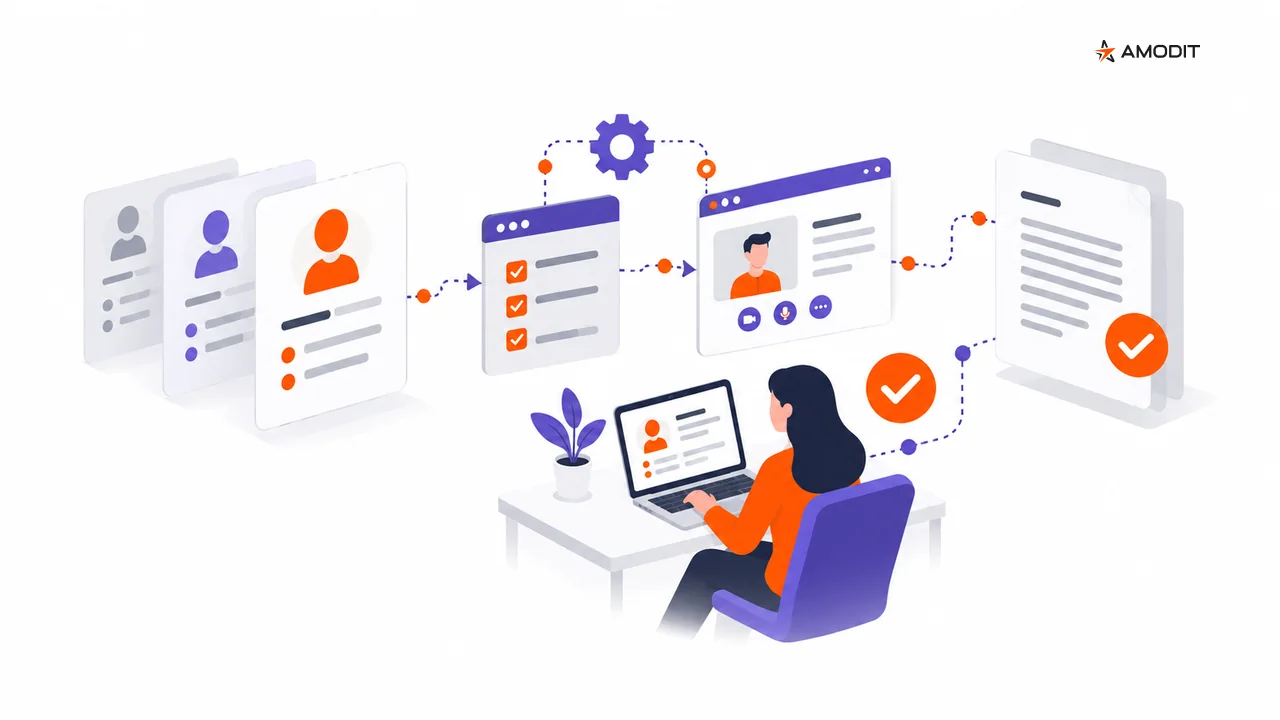
After the hiring decision, the recruiter, candidate, HR, occupational health and safety team, employer's authorized signatory, and line manager all have work to complete. Candidate information can easily become fragmented across messages and files. A single AMODIT case coordinates roles, tasks, and documents, while data captured at an earlier stage can populate later forms without re-entry.
What Recruitment Automation Covers
- organizing applications and candidate data;
- sending confirmations, status updates, and reminders;
- scheduling interviews and coordinating calendars;
- routing internal reviews and approvals;
- generating documents, collecting electronic signatures, and archiving records;
- reporting on the effectiveness of each stage.
Technology manages logistics and consistency. Recruiters evaluate candidates, interpret context, and approve hiring decisions.
Benefits of an Automated Recruitment Workflow
- Faster administration: process and filter large application volumes against defined criteria.
- Fewer handling errors: move data through consistent stages and required fields.
- More recruiter capacity: automate replies, scheduling, reminders, and recurring reports.
- Centralized information: keep applications, documents, status, and reporting in one system.
- Clear candidate communication: provide timely confirmation and information about next steps.
Automate Logistics, Preserve Judgment
Good candidates for automation include application status, process communication, interview scheduling, approvals, document generation, signatures, and archiving.
Human judgment remains essential for the final hiring decision, team and culture fit, in-depth interviews, and nonstandard career paths. Automation supports accountable decisions rather than replacing them.
Common Implementation Mistakes
- Automating an unclear process: define stages and ownership before configuring software.
- Using rigid screening rules: one mechanical condition can remove relevant candidates from review.
- Leaving communication standards undefined: automatic messages still need owners and response timelines.
- Ignoring final-stage documents: approvals, contracts, signatures, and archives often become the last bottleneck.
- Weak privacy controls: define retention, permissions, candidate notices, and secure archiving.
Recruitment Processes in AMODIT
AMODIT can classify applications against defined criteria, assign them to workflow stages, and notify candidates of status changes. It coordinates interview calendars, sends invitations and reminders, generates process reports, and centralizes recruitment documents.
Permissions, retention, and workflow controls must be configured to meet the organization's candidate-data and GDPR requirements.
Five Online Steps for the Candidate
In the documented hiring workflow, the candidate completes five steps:
- enter personal data, including address details and, where relevant, foreign-national documents;
- download the occupational health referral and provide the appointment date;
- upload the medical certificate;
- complete the personnel questionnaire;
- sign the documents electronically.
The recruiter opens the case and verifies the data, the occupational health and safety role handles the referral, HR prepares the documents, and an authorized signatory signs on behalf of the employer. The candidate sees only the form for the current step. Data entered once can then populate the referral, contract, and personnel questionnaire, reducing inconsistencies caused by retyping.
The Personnel Questionnaire Starts With Existing Data
After the employer-side signature, AMODIT creates the questionnaire and carries forward the candidate's name, national identification number, citizenship, address, and contact details. The candidate does not start from an empty form.
For a Polish employment workflow, the questionnaire can be divided into pages covering employee data, addresses, benefits, family members for social-insurance registration, the PIT-2 tax form, declarations, IT systems, and the privacy notice. An additional page can appear for a foreign national. The form shows progress and explains Polish social-insurance and PIT-2 choices in plain language before the candidate responds.
AMODIT validates bank-account format, suggests the bank name and official address data, and validates identification numbers entered for family members. If the questionnaire remains incomplete, the candidate can receive email and SMS reminders. HR handles corrections when needed.
A Contract Generated From the Organization's Approved Template
HR generates a draft employment contract and employment-terms information from data verified earlier in the workflow. AMODIT fills a template approved by the organization and produces a PDF for HR review. If the underlying data changes, the document can be generated again without manually retyping its content.
The organization remains responsible for the template wording and its legal compliance. The system fills the template; it does not assess its content. The document template is separate from the workflow configuration, so an approved template can be updated without redesigning the process.
Examples From Different Operating Models
Restaurant Network
A high-volume employer uses workflow rules for candidate communication and privacy notices. Notifications show progress and create a consistent record of contact.
Retail Network
Candidates complete online personnel forms protected with a one-time password. The workflow routes submitted information for verification and approval.
Temporary Staffing Agencies
Approved candidate data populates employment-agreement templates, reducing repeated entry before HR verifies the document.
Large Manufacturer
The process supports electronic signing with qualified and advanced signatures. The published source describes this as aligned with eIDAS and the Polish Labor Code; current legal requirements should be confirmed for each implementation.
The Direction of Recruitment Automation
Recruitment systems will continue expanding their support for coordination, analysis, and documents. The strongest operating model pairs that technology with accountable human review at every decision that affects a candidate.
A More Consistent Candidate Journey
Recruitment automation improves the process by making work visible, enforcing required steps, and keeping communication and documents together. Its value comes from an orderly process and clear ownership, not from replacing recruiters.
Design a Recruitment Workflow
Recruitment Automation FAQ
1What is recruitment automation?
It uses workflow tools to handle repeatable tasks such as status updates, communication, document routing, approvals, and reporting under defined rules.
2Which stages can be automated?
Common stages include application intake, initial sorting, follow-up, interview scheduling, internal approvals, contracts, signatures, and archiving.
3Does recruitment automation require an ATS?
No. When approvals, documents, and formalities are the main bottleneck, a workflow platform can address those steps directly or integrate with an ATS.
4Can an automated recruitment process comply with GDPR?
Yes, when the organization implements data minimization, permissions, retention, candidate notices, secure storage, and appropriate operational oversight.
5Which mistakes are most common?
Teams often automate an unclear process, use overly rigid rules, leave communication ownership undefined, ignore final-stage documents, or omit privacy and security controls.
6How should results be measured?
Measure time between application, contact, interview, offer, and signature; approval delays; document completeness; and the number of administrative corrections.
7Where should automation start?
Status communication, scheduling, internal approvals, and final documents usually provide a clear first scope that can be tested and measured.