
Advanced Reports
Already using AMODIT and looking for more detailed business process analysis? The Advanced Reports module adds data visualization methods and options that support decision-making and make the team’s work easier.

Why use advanced reports?
The additional Advanced Reports module in AMODIT provides multiple data visualization methods, including Gantt charts, calendars, KPIs, bar charts, line charts, and dashboards.
Advanced reports also integrate with external systems. Key data from the organization’s different sources can be visualized in one place. This provides a broader view of business processes and supports faster, well-informed decisions.
Benefits of advanced reports
The most important benefits of the Advanced Reports module include:
Visualize data from other systems
Use data from systems such as ERP and CRM and visualize it in AMODIT. This creates a more complete view of business processes and supports decision-making.
More data visualization options
Use additional visualizations, including Gantt charts, calendars, KPIs, bar charts, and line charts, for more detailed process analysis.
Build dashboards
Bring the most important indicators together in one place to monitor processes and manage activities conveniently.
The Advanced Reports module in practice
See what changed after an organization implemented the additional AMODIT Advanced Reports module.
Challenge: combining data from several systems
The client used several different systems every day. Without integration, data was dispersed and a complete view of business processes was difficult to obtain. The company decided to implement the additional module.
Solution
Advanced Reports in AMODIT gave the company convenient access to data from different systems. It also began sharing selected data that users had not previously been able to access in their everyday work, increasing transparency and efficiency.
The company also built dashboards to monitor business processes more effectively and make decisions faster. The module introduced new visualization methods, including Gantt charts, calendars, and KPI charts.
Implementation benefits
The client reports that the solution made work more convenient, improved team efficiency, and supported effective process management.
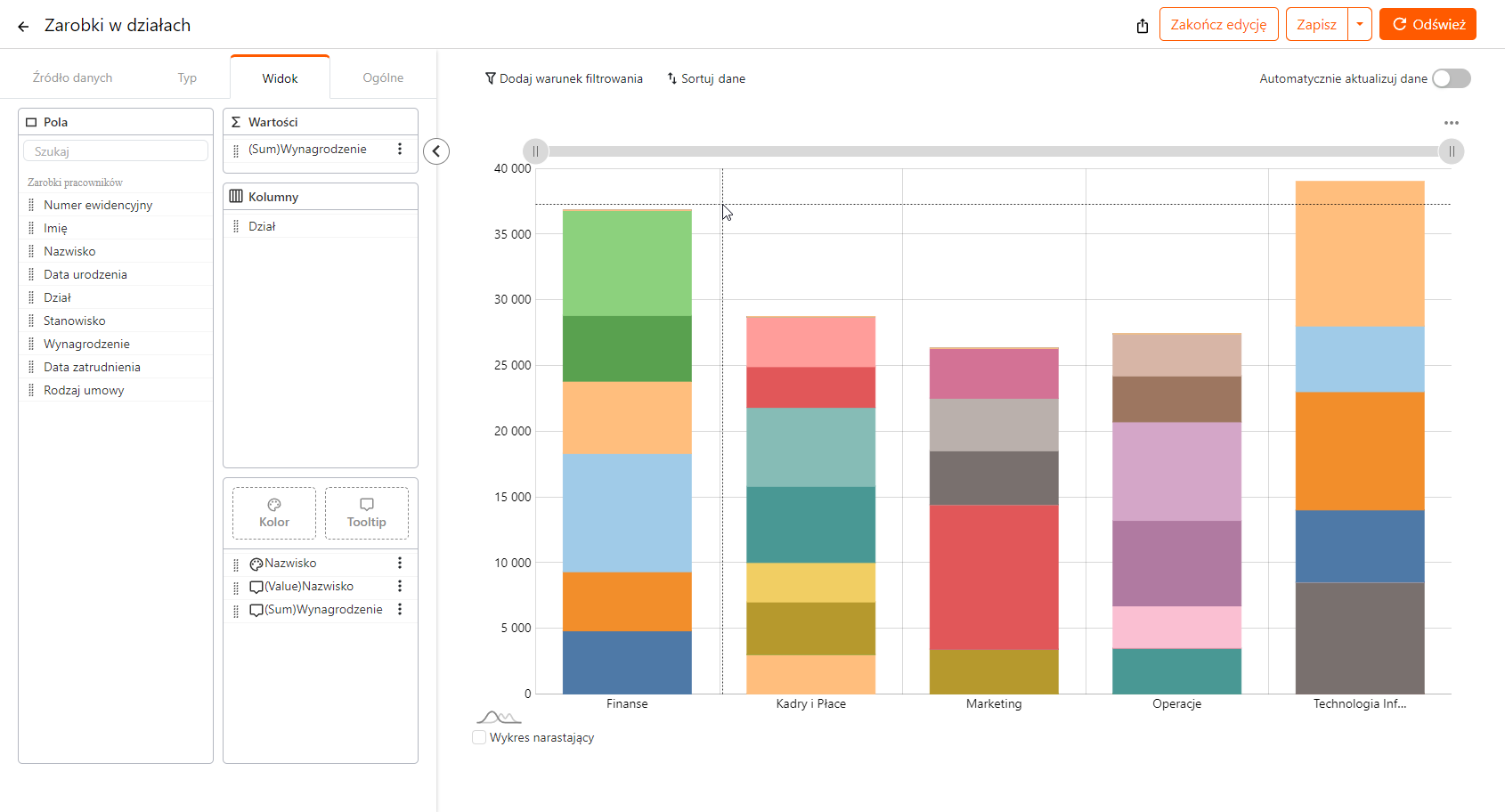
The Polish-language AMODIT screen shows the Advanced Reports configurator with demonstration data.
Advanced Reports module: requirements
Module license
for Advanced Reports
Configuration
of reports
Connection to external sources
when external data will be used
A budget report can bring together the plan, reservations, commitments, actual use, and remaining funds. It shows which amounts are already reserved by approved orders and which have been consumed by related invoices.
Budget owners can follow successive stages of the same cost and move from a summary to the underlying workflow data. Dimensions, filters, and detail levels are configured for the organization’s budget structure.
See how these values change throughout the process on the AMODIT budgeting page.
An AMODIT report can combine data recorded by a workflow with information supplied by another system. Depending on that system and the agreed integration scope, the source can be an SQL view or an API.
Implemented configurations have used SQL sources for AMODIT reports. In one workflow, a filtered reserve report was exported to Excel for subsequent accounting. The shared view reduces the need to assemble workflow and external data manually.
Data exchange, refresh rules, and access are defined during configuration. Explore the available AMODIT integration options.
with one of our specialists. We will show step by step how to implement the Advanced Reports module in AMODIT.
Frequently asked questions about Advanced Reports in AMODIT
1What is the Advanced Reports module in AMODIT?
It is a platform extension that provides advanced data visualizations, including Gantt charts, calendars, KPIs, bar charts, and line charts, and supports custom dashboards.
2What are the benefits of the Advanced Reports module?
The module visualizes data from different systems, such as ERP and CRM, in one place; analyzes processes using multiple visual formats; and monitors key business indicators through custom dashboards. This supports faster, well-informed decisions.
3How does the module change everyday work?
The module integrates data from different sources, increases transparency, and monitors processes with visual indicators such as Gantt charts, calendars, and KPIs. For the client described on this page, it improved convenience and team efficiency.
4What technical and procedural requirements must be met?
The module requires a license and configuration. Using data from external systems also requires the appropriate connections to those data sources.
5How can an organization implement the module?
Schedule a free consultation with an AMODIT specialist, who will guide the organization through the Advanced Reports implementation process step by step.
Which areas can be improved
IN THE ORGANIZATION?
Financial
area
Automate financial processes and eliminate errors caused by manual work.
HR
area
Keep employee data in one place through HR process automation.
Legal
area
Organize contracts and addenda in one system and give the legal team convenient access to information.
Administrative
area
Reduce delays, errors, and lost documents through administrative process automation.
IT
area
Streamline IT work with clear project monitoring at every stage.