
Performance monitor
Keep AMODIT performance aligned with your organization’s needs. The performance monitor identifies slow operations, supports detailed analysis, and gives administrators the data they need to optimize the application.

Why use the performance monitor?
The performance monitor is built into the AMODIT web application and asynchronous service. It records how individual operations run and captures additional timing metrics. Administrators can identify inefficient rule code or tasks that slow the system while processing large numbers of files.
The module gives AMODIT administrators a detailed view of system performance. It records a broad range of operation types and metrics, making it easier to identify and resolve performance issues and use the system’s capabilities effectively.
Benefits of the performance monitor for your company
The performance monitor:
Makes problems easier to diagnose
Timing data for individual operations helps administrators find the cause of system slowdowns quickly.
Supports system optimization
Performance data highlights the areas that require optimization and supports a prompt response.
Supports decision-making
Performance trends tracked over time provide a stronger basis for system management decisions.
Improves service quality
Faster, more efficient AMODIT performance improves the user experience and the quality of services delivered by the company.
The performance monitor module in practice
This case study shows how the performance monitor improved work for one AMODIT client.
Challenge: controlling system performance
A manufacturing company that used AMODIT every day noticed a decline in application performance. Document processing took longer and system errors became more frequent. Log analysis and diagnosis required considerable time without producing the expected results.
Solution
The company implemented the AMODIT performance monitor. After installation and configuration, the IT team analyzed system performance data and found that operations including contractor directory updates took too long and slowed the entire system.
Implementation benefits
The IT team quickly identified and optimized problematic operations. The collected data supported faster processes and improved overall system performance.
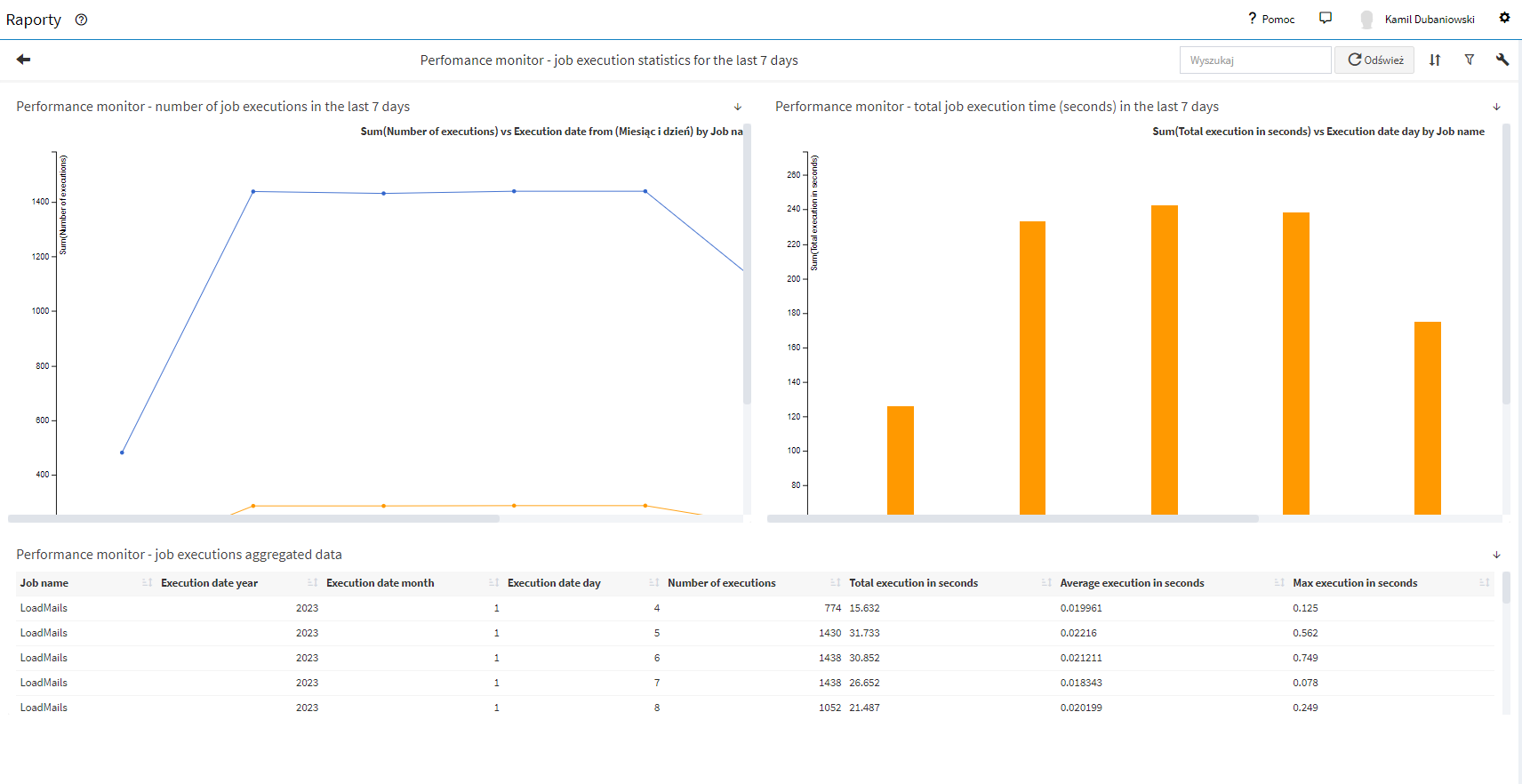
The screenshot shows the Polish AMODIT interface used in the source implementation.
Performance monitor module: requirements
Module license
performance monitor
Configuration
performance monitor
AMODIT
version 220630 or later
with one of our specialists. We will show you step by step how to implement the performance monitor module in your company with AMODIT.
Frequently asked questions about the AMODIT performance monitor
1What is the AMODIT performance monitor?
The performance monitor is built into the AMODIT web application and asynchronous service. It records detailed information about individual operations, including timing metrics, and identifies operations that slow the system.
2What benefits does the performance monitor provide?
It supports fast diagnosis through operation timing data, identifies areas for optimization, tracks performance trends over time, and improves the user experience by reducing system response times.
3Who is the performance monitor designed for?
It is designed for AMODIT administrators who need to detect and resolve system performance issues. Data from different operation types and metrics supports in-depth performance analysis.
4What are the technical requirements?
The performance monitor requires a license for the module and AMODIT version 220630 or later.
Which areas can you improve
IN YOUR COMPANY?
Financial
area
Automate financial processes and avoid errors caused by manual work.
HR
area
Keep all employee data in one place by automating HR processes.
Legal
area
Streamline legal work by organizing contracts and amendments in one system and giving the team convenient access to information.
Administrative
area
Reduce delays, errors, and lost documents by automating administrative processes.
IT
area
Streamline IT work with easy project monitoring at every stage.